
How to Fix Bookkeeping Mistakes in QuickBooks Easily
Sorting through paperwork at the end of a busy Kansas City workweek can feel overwhelming if your QuickBooks records just are not adding up. Accurate financial documents like sales slips, receipts, and bank statements are the foundation of reliable bookkeeping for any small business. By focusing on gathering organized supporting documents and correcting mistakes early, you can protect your business from costly errors and keep your finances running smoothly.
Table of Contents
- Step 1: Gather Essential Financial Documents
- Step 2: Identify Common Bookkeeping Errors
- Step 3: Correct Mistakes In QuickBooks Records
- Step 4: Reconcile Accounts For Consistency
- Step 5: Verify Accuracy And Prevent Future Errors
Quick Summary
| Main Insight | Explanation |
|---|---|
| 1. Organize Essential Financial Documents | Collect and categorize all relevant financial records for accuracy in QuickBooks. This includes sales slips, bills, and bank statements. |
| 2. Identify Common Bookkeeping Mistakes | Regularly check for common errors like duplicate entries and misclassification to maintain clean financial records. |
| 3. Systematically Correct QuickBooks Errors | Implement a structured approach to fix any identified errors, ensuring a clear audit trail for accuracy. |
| 4. Regularly Reconcile Accounts | Perform monthly reconciliations to align QuickBooks transactions with bank statements and catch discrepancies. |
| 5. Verify Accuracy to Prevent Future Errors | Use automated tools and establish a routine for comprehensive reviews to maintain financial accuracy. |
Step 1: Gather Essential Financial Documents
Gathering the right financial documents is the critical first step in fixing bookkeeping mistakes in QuickBooks. Without accurate source materials, you cannot effectively review and correct your business’s financial records.
To start, collect all your key financial documents from the past year, focusing on those that support your business transactions. This comprehensive collection should include:
- Sales slips from all revenue sources
- Paid bills and vendor invoices
- Bank statements for every business account
- Receipts for business expenses
- Deposit slips
- Canceled checks
- Income statements
- Cash flow statements
- Balance sheets
Organize these documents chronologically and by category. This systematic approach will make your QuickBooks reconciliation process smoother and more accurate. Create separate digital or physical folders for each document type, labeling them clearly with the tax year and category.
Pro tip: Digitize all paper documents by scanning them and creating searchable PDF files. This ensures you always have a backup and can easily locate specific records when needed.
Pro tip: Consider using cloud storage solutions that automatically timestamp and categorize your financial documents for easier future reference and quick retrieval.
Step 2: Identify Common Bookkeeping Errors
Identifying bookkeeping mistakes early can save your small business time, money, and potential tax complications. Understanding the most frequent errors helps you proactively manage your financial records in QuickBooks.
Start by examining your financial processes for common bookkeeping pitfalls. These critical errors often include:
- Neglecting receipt tracking
- Misclassifying employees
- Poor expense tracking
- Failing to reconcile accounts
- Inconsistent communication
- Duplicate data entries
QuickBooks users frequently encounter specific data import challenges that can create significant accounting discrepancies. Validation failures and formatting issues can introduce errors that compromise your financial reporting accuracy. Pay special attention to:
- Check for duplicate transactions
- Verify employee and vendor classifications
- Review expense categorization
- Validate transaction dates
- Confirm numerical accuracy
Consistent monitoring helps prevent small mistakes from becoming major financial headaches.
Carefully review each entry and cross-reference your bank statements to ensure complete accuracy. If you discover systematic errors, document them thoroughly to understand their root cause and prevent future occurrences.
Pro tip: Schedule monthly reconciliation reviews and set up automated bank feeds in QuickBooks to catch potential errors before they accumulate.
Step 3: Correct Mistakes in QuickBooks Records
Addressing bookkeeping errors in QuickBooks requires a systematic and careful approach to ensure your financial records remain accurate and reliable. Understanding how to effectively correct financial transaction records will help minimize potential tax and reporting complications.
When correcting mistakes, follow these critical steps:
- Identify the specific error in your financial records
- Determine the appropriate correction method
- Document the original and corrected entries
- Verify the impact on related transactions
- Maintain a clear audit trail
QuickBooks provides several methods for addressing different types of errors:
- Use the Edit Transaction feature for simple corrections
- Utilize Void or Delete options for inappropriate entries
- Create adjusting journal entries for complex modifications
- Leverage reconciliation tools to cross-check corrections
- Consult the transaction history to track changes
Precision is key: Even minor corrections can significantly impact your financial reporting.
Be cautious when making retroactive changes. Some modifications might require professional guidance, especially if they affect tax reporting or involve complex accounting principles. When in doubt, consult with a professional bookkeeper or accountant to ensure accuracy.

Here’s a comparison of QuickBooks error correction methods and when to use them:
| Correction Method | Best For | Typical Impact |
|---|---|---|
| Edit Transaction | Minor mistakes | Updates original entry |
| Void/Delete Entry | Incorrect or duplicate entries | Removes transaction |
| Adjusting Journal Entry | Complex errors | Alters account balances |
| Reconciliation Tools | Ongoing account review | Confirms transaction accuracy |
| Transaction History Review | Audit and trace changes | Improves audit trail |
Pro tip: Create a separate spreadsheet to track all QuickBooks corrections, including the date, type of error, and resolution method for future reference.
Step 4: Reconcile Accounts for Consistency
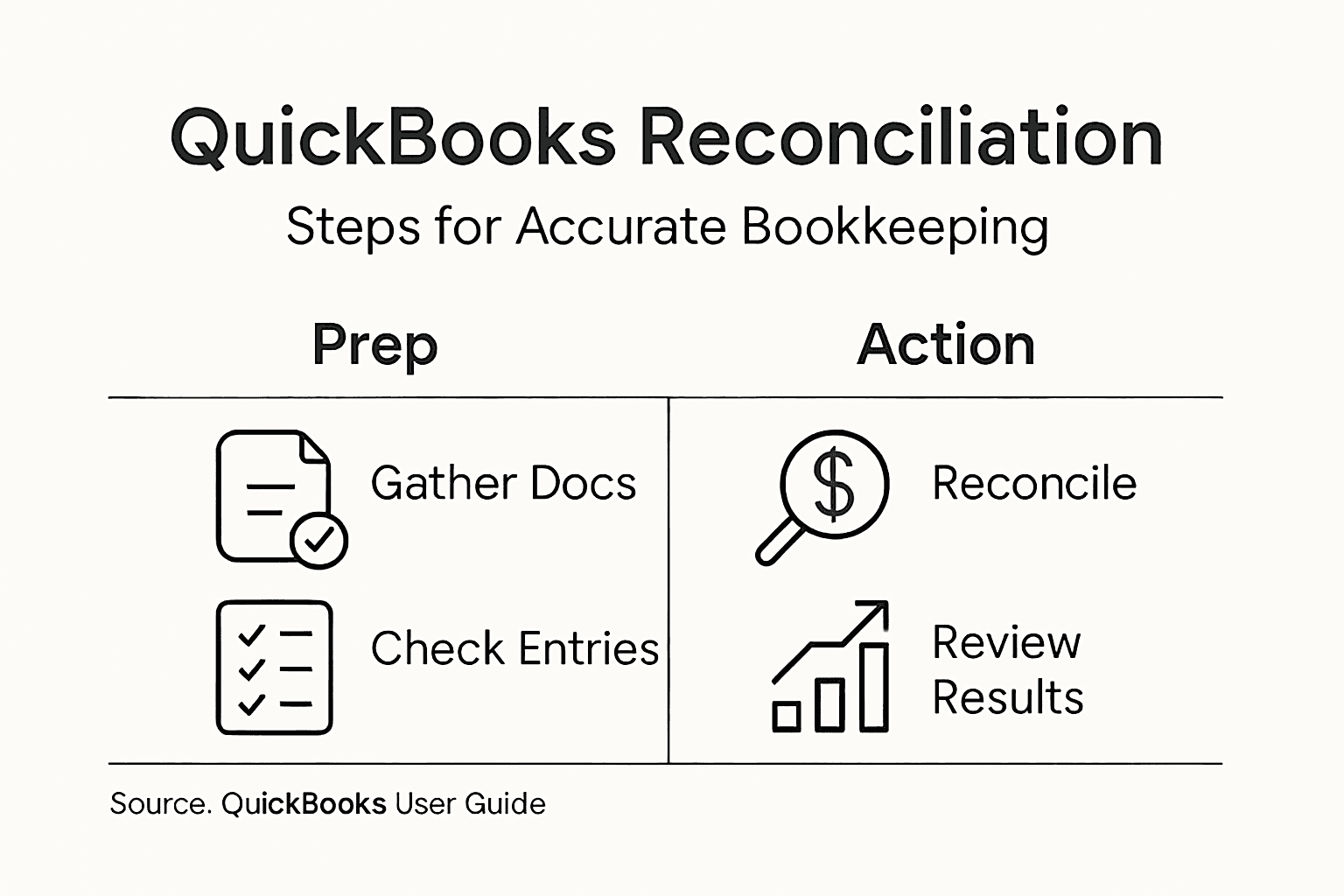
Reconciling your accounts is a critical process that helps ensure the accuracy of your financial records and identifies any potential discrepancies between your QuickBooks entries and bank statements. By mastering bank statement reconciliation techniques, you can maintain precise financial control for your business.
The reconciliation process involves several key steps:
- Compare bank statements with QuickBooks transactions
- Match individual transactions carefully
- Identify and investigate any discrepancies
- Adjust entries as necessary
- Update account balances to reflect accurate information
Follow this detailed reconciliation workflow:
- Gather your most recent bank statement
- Open the Reconcile feature in QuickBooks
- Enter the statement’s beginning and ending balances
- Check off matching transactions
- Investigate and resolve any unmatched transactions
- Create necessary adjusting entries
Consistent monthly reconciliation prevents small errors from becoming significant financial problems.
Pay special attention to transaction dates, amounts, and unusual entries. Some discrepancies might indicate potential errors or even fraudulent activity. Always document your reconciliation process and keep detailed notes about any modifications you make.
Pro tip: Set a consistent monthly schedule for reconciliation and consider using automated bank feeds to streamline the process and reduce manual data entry errors.
Step 5: Verify Accuracy and Prevent Future Errors
Ensuring the long-term accuracy of your QuickBooks records requires a proactive and systematic approach. By implementing proven bookkeeping verification methods, you can significantly reduce the risk of future financial discrepancies.
Implement these critical accuracy verification strategies:
- Run comprehensive financial reports monthly
- Compare income and expense trends
- Cross-check bank statements with QuickBooks entries
- Review transaction categorizations
- Validate tax-related documentation
Establish a robust error prevention workflow:
- Set up automatic bank feeds
- Create recurring transaction rules
- Enable transaction matching alerts
- Use built-in QuickBooks reporting tools
- Schedule quarterly professional reviews
Small, consistent checks prevent major financial headaches down the road.
Regular monitoring allows you to catch potential issues early. Pay special attention to unusual transactions, unexpected balance changes, and recurring expense patterns. Developing a keen eye for financial details will help you maintain accurate and reliable bookkeeping records.
Below is a summary of essential strategies for verifying QuickBooks accuracy:
| Strategy | Description | Benefit |
|---|---|---|
| Monthly Financial Reports | Run comprehensive reports each month | Detects anomalies early |
| Trend Comparison | Compare income vs. expenses | Identifies unusual shifts |
| Cross-Checking Bank Statements | Match statements with QuickBooks | Ensures data alignment |
| Transaction Review | Examine entries and categorizations | Reduces misclassification |
| Scheduled Professional Oversight | Quarterly external review | Catches complex errors early |
Pro tip: Invest in periodic training or tutorials to stay updated on QuickBooks features and best practices for financial record management.
Take Control of Your QuickBooks Bookkeeping Today
Fixing bookkeeping mistakes in QuickBooks can be overwhelming when faced with errors like misclassifications, reconciliation challenges, and inconsistent transaction records. You need a trusted partner who understands these common pain points and can help you organize, correct, and prevent future discrepancies with precision and care. Kenworthy Bookkeeping specializes in making your bookkeeping effortless by handling critical tasks such as bank reconciliations, accurate categorization, and preparing reliable profit and loss reports. This frees you to focus on growing your business without the stress of financial uncertainty.

Ready to streamline your financial records and regain confidence in your bookkeeping? Discover how our expert team can support you every step of the way. Take advantage of a personalized consultation by contacting us today at Kenworthy Bookkeeping Consult. Learn more about our comprehensive QuickBooks bookkeeping services designed specifically for small businesses in the Kansas City area. Don’t wait until bookkeeping mistakes impact your profitability. Act now to secure clean and accurate financial records with Kenworthy Bookkeeping.
Frequently Asked Questions
How can I identify bookkeeping mistakes in QuickBooks?
To identify bookkeeping mistakes in QuickBooks, examine your financial processes for common pitfalls like receipt tracking neglect or misclassifying employees. Review your bank statements alongside your entries to ensure everything aligns, making corrections as needed within your financial records.
What are the steps to correct errors in QuickBooks?
To correct errors in QuickBooks, identify the specific mistake and determine the appropriate correction method, such as using the Edit Transaction feature for minor changes. Document both the original and corrected entries to maintain a clear audit trail and ensure your financial records remain accurate.
How often should I reconcile my accounts in QuickBooks?
You should reconcile your accounts in QuickBooks monthly to ensure the accuracy of your financial records. Set a regular schedule and cross-check your QuickBooks entries against your bank statements to identify and resolve any discrepancies promptly.
What tools can help me prevent future bookkeeping errors in QuickBooks?
To prevent future bookkeeping errors in QuickBooks, consider setting up automatic bank feeds, recurring transaction rules, and transaction matching alerts. Regularly schedule quarterly professional reviews to catch complex errors early and maintain the integrity of your financial data.
How do I organize my financial documents for QuickBooks corrections?
Organize your financial documents chronologically and by category, creating separate digital or physical folders for each document type. Label them clearly with the tax year and category, making it easier to locate specific records during QuickBooks corrections.