

How to Track Income and Expenses for Small Businesses
Running a home service business in Kansas City can make tracking every dollar feel overwhelming when your time is already stretched thin. Without a clear method for organizing income and expenses, small mistakes can lead to confusion and lost profits. By setting up the right bookkeeping tools and processes, you will create a reliable way to monitor finances, make better decisions, and prepare for tax season without panic.
Table of Contents
- Step 1: Set Up Your Bookkeeping Tools
- Step 2: Organize Income and Expense Categories
- Step 3: Input and Categorize Transactions
- Step 4: Reconcile Bank Accounts Regularly
- Step 5: Review Financial Reports for Accuracy
- Step 6: Prepare for Tax Season Efficiently
Quick Summary
| Key Takeaway | Explanation |
|---|---|
| 1. Set Up Bookkeeping Tools | Establish a business checking account and choose suitable accounting software to track finances easily. |
| 2. Organize Income and Expenses | Create distinct categories for income and expenses to simplify reporting and enhance financial clarity. |
| 3. Regularly Reconcile Accounts | Monthly reconciliation of bank statements with records prevents discrepancies and improves financial accuracy. |
| 4. Review Financial Reports | Systematically review key financial statements to understand your business’s performance and make informed decisions. |
| 5. Prepare for Tax Season Early | Organize financial documents quarterly to streamline tax preparation and maximize deductions. |
Step 1: Set Up Your Bookkeeping Tools
Setting up the right bookkeeping tools is your first critical step toward managing your small business’s financial health. By establishing a systematic approach to tracking income and expenses, you’ll gain clarity and control over your financial landscape.
The foundation of effective bookkeeping begins with selecting the appropriate tools. Most small businesses can maintain clear financial records through a combination of digital and physical systems. Here are the key tools you’ll want to implement:
- Business Checking Account: Separate your personal and business finances
- Accounting Software: Digital platform for tracking transactions
- Expense Tracking App: Mobile solution for receipt management
- Filing System: Physical or digital folder for documentation
When choosing accounting software, prioritize solutions that integrate seamlessly with your bank and provide robust reporting features. Popular options include QuickBooks Online, Wave, and Xero. These platforms allow you to automatically categorize expenses, generate financial reports, and maintain organized records.
To help you select the right accounting software for your business, here is a feature comparison:
| Software | Bank Integration | Reporting Tools | Mobile App Availability |
|---|---|---|---|
| QuickBooks Online | Automatic imports | Advanced custom reports | Full-featured mobile app |
| Wave | Direct sync with banks | Simple built-in reports | Receipt capture app |
| Xero | Real-time feeds | Detailed analytics | Transaction tracking app |
Effective bookkeeping isn’t about perfection – it’s about consistent, accurate tracking of your business finances.
Digital tools offer significant advantages over manual record-keeping. They provide real-time insights, automate tedious tasks, and reduce the risk of human error. Most accounting software can automatically import bank transactions, categorize expenses, and generate essential financial statements like profit and loss reports.
Pro tip: Select accounting software with a mobile app to capture receipts and track expenses in real-time, ensuring no financial detail gets overlooked.
Step 2: Organize Income and Expense Categories
Organizing your income and expense categories is crucial for gaining clear financial insights and simplifying tax preparation for your small business. By creating a structured system, you’ll transform your financial record-keeping from chaotic to crystal clear.
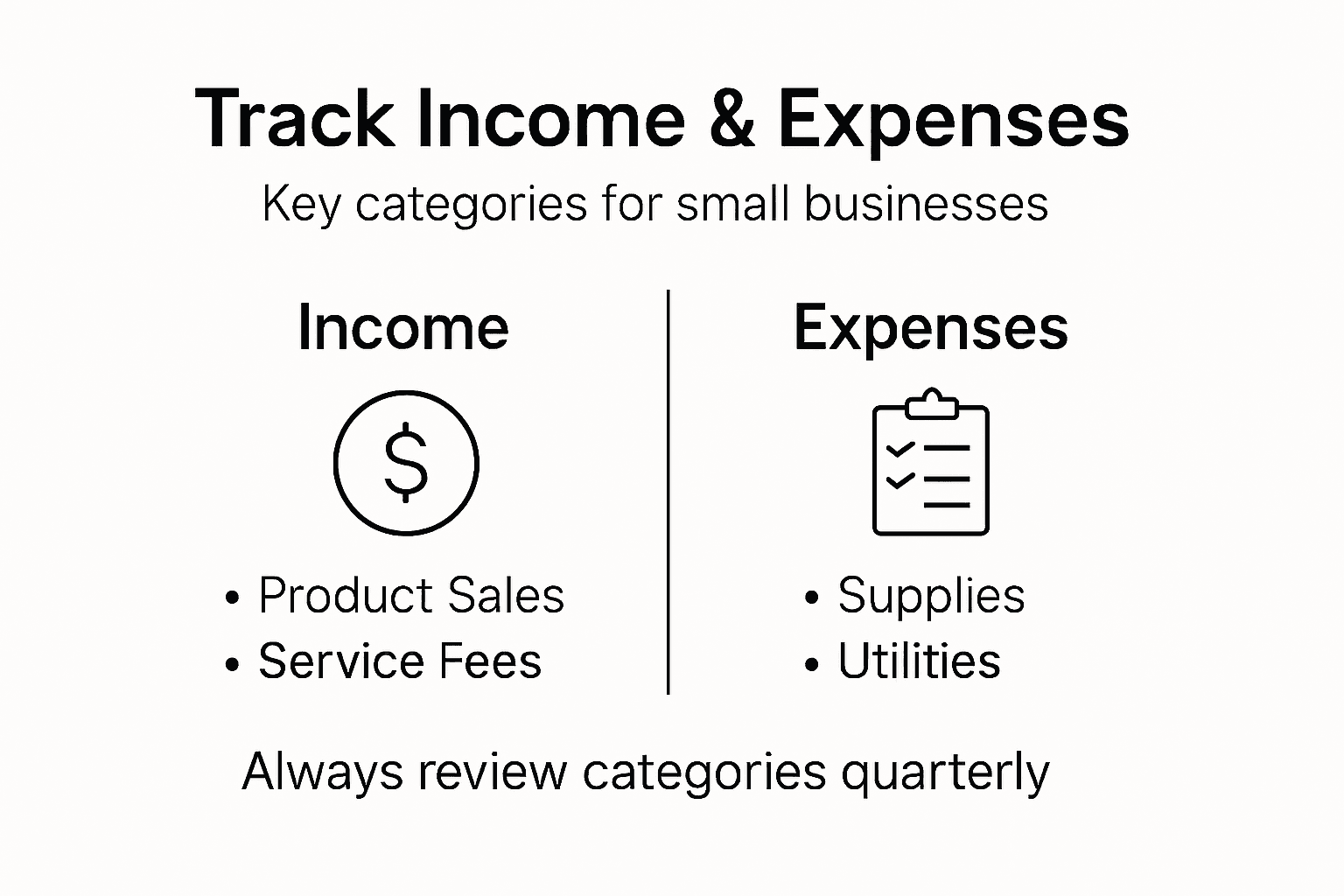
To effectively categorize your business finances, start by understanding how income and expenses are grouped in your accounting system. Most businesses use standard categories that help track financial performance and simplify reporting:
Income Categories:
- Product Sales: Revenue from direct product sales
- Service Revenue: Income from professional services
- Consulting Fees: Specialized service income
- Recurring Subscriptions: Predictable monthly income
Expense Categories:
- Operational Costs: Rent, utilities, basic business expenses
- Payroll: Wages, salaries, contractor payments
- Marketing Expenses: Advertising, promotional materials
- Equipment and Supplies: Technology, office supplies
- Professional Services: Accounting, legal, consulting fees
Accurate category tracking transforms your financial records from a confusing maze into a clear roadmap of business performance.
Consider using accounting software that allows customizable categories and subcategories. This flexibility enables you to track expenses at a granular level while maintaining a clean, organized financial structure. Many platforms automatically suggest standard categories, which you can then refine to match your specific business model.

Pro tip: Review and adjust your expense categories quarterly to ensure they continue to reflect your business’s evolving financial landscape and provide the most meaningful insights.
Here’s a summary of common income and expense categories and their importance for business insights:
| Category Type | Example | Benefit to Business |
|---|---|---|
| Income | Service revenue | Reveals growth trends |
| Income | Recurring subscriptions | Predicts stable cash flow |
| Expense | Payroll | Measures staffing investment |
| Expense | Marketing expenses | Tracks promotion ROI |
Step 3: Input and Categorize Transactions
Inputting and categorizing transactions is the critical process that transforms raw financial data into meaningful business insights. Accurate transaction recording ensures you have a real-time understanding of your business’s financial health.
To effectively manage your financial records, learn how to record business transactions/03%3A_Analyzing_and_Recording_Transactions/3.05%3A_Use_Journal_Entries_to_Record_Transactions_and_Post_to_T-Accounts) with precision. Each transaction requires careful attention to detail and systematic documentation:
Transaction Input Steps:
- Gather Source Documents: Collect receipts, invoices, bank statements
- Record Transaction Date: Note the exact date of each financial event
- Identify Transaction Type: Determine whether it’s income or expense
- Select Appropriate Category: Match transaction to predefined categories
- Enter Transaction Amount: Input the precise dollar value
Digital Accounting Best Practices:
- Automated Bank Feeds: Connect bank accounts for automatic transaction imports
- Receipt Scanning: Use mobile apps to capture and store digital receipts
- Regular Reconciliation: Compare accounting records with bank statements monthly
Consistent and accurate transaction categorization is the backbone of reliable financial reporting.
Modern accounting software can significantly simplify this process by offering automated categorization, machine learning-based suggestions, and real-time financial tracking. These tools can learn your business’s spending patterns and automatically suggest appropriate categories for recurring transactions.
Pro tip: Set aside 15-30 minutes weekly to review and categorize transactions, preventing backlog and ensuring your financial records remain current and accurate.
Step 4: Reconcile Bank Accounts Regularly
Reconciling your bank accounts is a crucial financial management practice that helps protect your business from errors, fraud, and financial discrepancies. By systematically comparing your internal records with official bank statements, you’ll maintain accurate financial visibility and control.
Learn the essential process of bank reconciliation for small businesses, which involves matching every transaction between your accounting records and bank statement. This critical monthly task helps identify potential issues before they become significant problems:
Reconciliation Process Steps:
- Gather Documentation: Collect bank statement and accounting records
- Compare Transaction Details: Match each entry line by line
- Identify Discrepancies: Flag any differences between records
- Investigate Unresolved Items: Research unexplained transactions
- Adjust Internal Records: Update accounting system with correct information
Key Reconciliation Checks:
- Verify Deposit Amounts: Confirm all income deposits match records
- Review Withdrawal Transactions: Ensure all expenses are accurate
- Check Bank Fees: Account for monthly service charges
- Validate Electronic Transactions: Scrutinize digital payments and transfers
Small discrepancies can quickly compound into significant financial misunderstandings if left unchecked.
Modern accounting software can streamline this process by automatically importing bank statements and highlighting potential discrepancies. Some platforms even offer machine learning capabilities to predict and flag unusual transactions, making reconciliation faster and more accurate.
Pro tip: Schedule your bank reconciliation at the same time each month and set aside dedicated uninterrupted time to complete the process thoroughly.
Step 5: Review Financial Reports for Accuracy
Reviewing your financial reports is a critical practice that provides deep insights into your business’s financial health and performance. By systematically examining these documents, you’ll gain the strategic understanding needed to make informed business decisions.
Learn how to understand and analyze financial statements that reveal your business’s financial landscape. The three key reports you’ll want to scrutinize include:
Key Financial Reports to Review:
- Balance Sheet: Snapshot of assets, liabilities, and equity
- Income Statement: Overview of revenue, expenses, and profitability
- Cash Flow Statement: Tracking money movement in and out of business
Review Process Steps:
- Collect All Financial Documents: Gather recent bank statements and accounting records
- Verify Income Accuracy: Cross-check total revenue against transaction records
- Examine Expense Entries: Ensure all expenses are correctly categorized
- Compare Period-to-Period: Look for significant variations from previous reporting periods
- Check Mathematical Consistency: Confirm calculations add up correctly
Financial reports are not just numbers – they’re a story about your business’s financial journey.
Modern accounting software can simplify this review process by generating visual reports, highlighting anomalies, and providing comparative analytics. These tools can help you quickly identify trends, potential issues, and opportunities for financial optimization.
Pro tip: Create a consistent monthly review schedule and always compare current reports against previous periods to track your business’s financial evolution.
Step 6: Prepare for Tax Season Efficiently
Preparing for tax season requires strategic planning and meticulous record-keeping to minimize stress and maximize potential deductions. By implementing a proactive approach, you’ll transform tax preparation from a dreaded task into a manageable process.
Understand how to navigate small business tax requirements with confidence and precision. Effective tax preparation involves several critical steps:
Tax Preparation Checklist:
- Organize Financial Documents: Collect all income and expense records
- Classify Business Expenses: Separate personal and business expenditures
- Calculate Potential Deductions: Review eligible business expense categories
- Prepare Profit and Loss Statement: Summarize annual financial performance
Key Documentation to Gather:
- Income Records: Invoices, sales receipts, bank statements
- Expense Receipts: Equipment purchases, operational costs, marketing expenses
- Payroll Documentation: Contractor payments, employee wages
- Asset Depreciation Records: Equipment and long-term investments
- Previous Year’s Tax Returns: For comparative analysis
Consistent documentation is your strongest defense against potential tax complications.
Consider working with a professional bookkeeper or tax specialist who can provide expert guidance, identify potential tax-saving strategies, and ensure compliance with current tax regulations. Many accounting software platforms now offer integrated tax preparation tools that can simplify this complex process.
Pro tip: Start gathering and organizing tax documents quarterly to prevent last-minute scrambling and reduce potential errors during tax season.
Take Control of Your Business Finances with Expert Bookkeeping Support
Tracking income and expenses accurately can feel overwhelming and time consuming, especially when juggling other business responsibilities. This article highlights common challenges like organizing categories, inputting transactions, and reconciling bank accounts regularly to maintain clear financial reports and prepare efficiently for tax season. If you find yourself struggling with these critical bookkeeping steps, Kenworthy Bookkeeping offers tailored solutions that simplify your financial management and give you peace of mind.

Don’t let bookkeeping stress hold you back from focusing on growing your business. With our expert use of QuickBooks Online, we handle everything from detailed categorization to precise bank reconciliations and timely profit and loss reports. Ready to streamline your finances and prepare confidently for tax season? Visit our consultation page to start gaining clarity and control today. Discover how personalized bookkeeping support can transform your small business finances and deliver lasting results.
Frequently Asked Questions
How can I set up my bookkeeping tools for my small business?
Start by selecting a business checking account to separate your personal and business finances. Then, choose accounting software and an expense tracking app to streamline income and expense management, ensuring to create a filing system for all documentation.
What are common income categories I should use for tracking?
Common income categories include Product Sales, Service Revenue, Consulting Fees, and Recurring Subscriptions. Create these categories in your accounting system to gain better insights into your revenue streams and track their performance effectively.
How often should I input and categorize transactions?
Aim to input and categorize transactions at least weekly to keep your financial records current. Consistently dedicating 15-30 minutes each week will prevent backlog and ensure accuracy in your bookkeeping process.
What steps should I follow to reconcile my bank accounts?
To reconcile your bank accounts, first gather your bank statement and internal records, and then compare transactions line by line to identify any discrepancies. Adjust your internal records accordingly while investigating any unexplained items to maintain accurate financial visibility.
How can I prepare for tax season efficiently?
Organize your financial documents early by classifying your business expenses and calculating potential deductions throughout the year. Gathering all necessary records consistently can help you streamline the preparation process, reducing stress as tax season approaches.





2 Comments
Comments are closed.