
Monthly Financial Review Process for Small Business Success
Keeping your Kansas City home service business on track can feel overwhelming when the paperwork piles up and clarity fades. For small business owners with lean teams, getting financial oversight right each month matters more than ever. By using QuickBooks Online to organize your core financial documents and refine your monthly review process, you create a solid foundation for smarter decisions, fewer surprises, and greater peace of mind about your company’s future.
Table of Contents
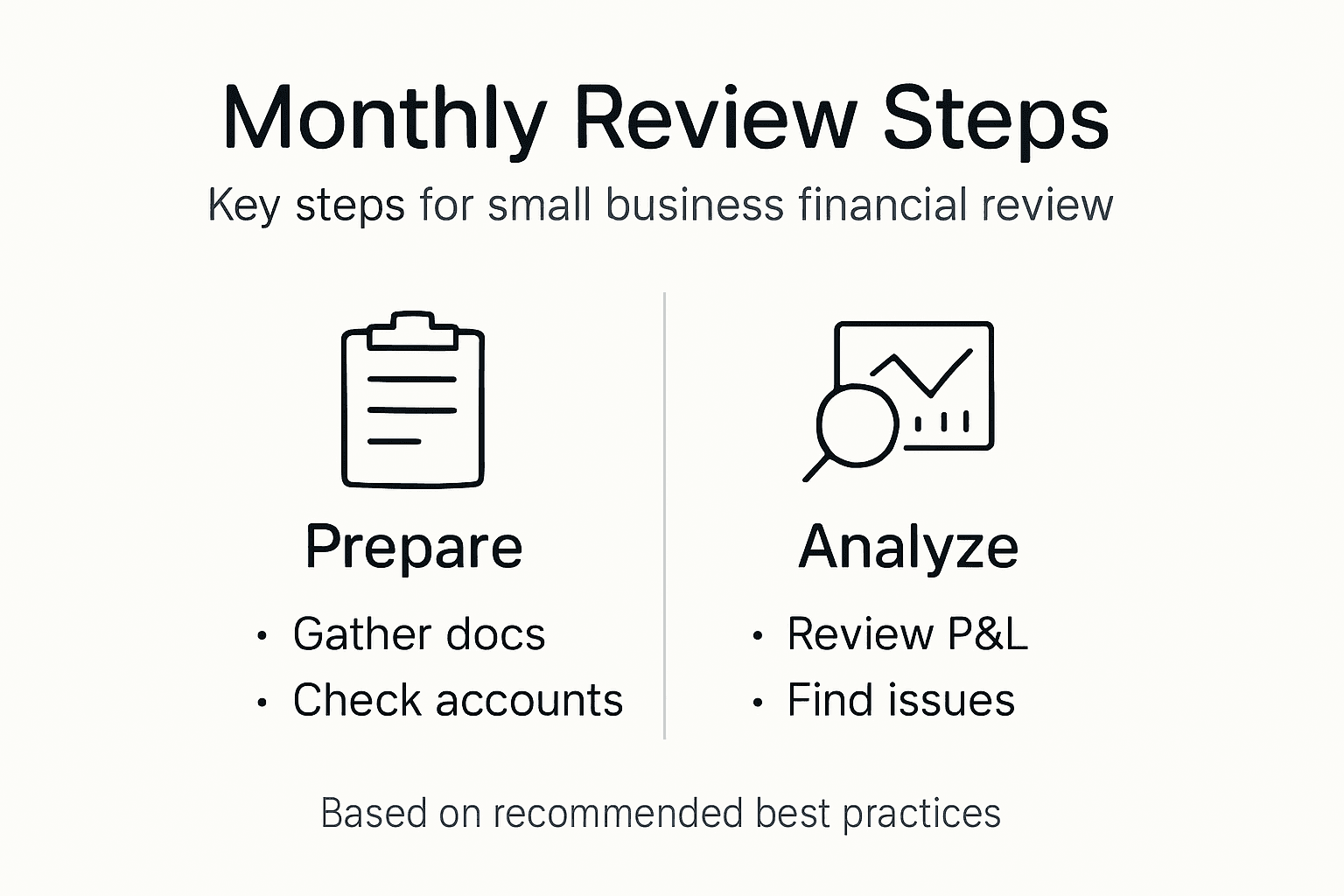
- Step 1: Prepare Your Financial Documents In QuickBooks Online
- Step 2: Verify Transaction Categorization And Reconcile Accounts
- Step 3: Analyze Profit And Loss Statements For Key Insights
- Step 4: Review Financial Reports And Flag Discrepancies
- Step 5: Finalize And Document Your Monthly Review Process
Quick Summary
| Key Point | Explanation |
|---|---|
| 1. Prepare Financial Documents | Generate an income statement, balance sheet, and cash flow statement for comprehensive insights. |
| 2. Verify Transaction Categorization | Check and correct transaction categories in QuickBooks to ensure accuracy in financial assessments. |
| 3. Analyze Profit and Loss Statements | Compare monthly P&L reports to identify trends and potential cost issues for strategic improvement. |
| 4. Review Financial Reports Thoroughly | Examine reports for discrepancies and red flags that could indicate financial errors or fraud. |
| 5. Document Your Review Process | Keep a record of findings and action items from your financial review to drive future improvements and accountability. |
Step 1: Prepare your financial documents in QuickBooks Online
Before you can conduct a meaningful monthly financial review, you need to have the right documents ready in QuickBooks Online. These documents give you a clear picture of your business’s financial health and show exactly where your money is coming from and where it’s going. Think of this step as gathering all the puzzle pieces before assembling the complete picture.
Start by ensuring your core financial documents are generated and accessible in QuickBooks. The three primary documents you’ll need are:
- Income statement (profit and loss statement) showing your revenues and expenses
- Balance sheet displaying your assets, liabilities, and owner’s equity at a specific point in time
- Cash flow statement tracking how money moves through your business
These three documents work together to give you a complete financial overview. The balance sheet represents your company’s assets, liabilities, and equity at a specific point in time, which is critical for understanding your financial position during your monthly review.
Here’s a quick comparison of the three core financial reports and their business impact:
| Report Type | What It Reveals | Business Impact |
|---|---|---|
| Income Statement | Revenues and expenses over time | Guides profit improvement strategies |
| Balance Sheet | Assets, liabilities, owner’s equity | Shows overall financial stability |
| Cash Flow Statement | Money movement in the business | Helps avoid cash shortages |
In QuickBooks Online, generating these documents is straightforward. Navigate to the Reports section and look for the standard financial reports. Pull these reports for the current month and compare them to the previous month to spot trends. You’ll also want to generate an accounts receivable aging report if you extend credit to customers, and an accounts payable aging report to track what you owe vendors.
Pull your financial reports for the same date each month to make comparisons meaningful and spot real trends in your business.
Beyond the standard reports, prepare any supporting documents specific to your business. For home service businesses in Kansas City, this might include payroll summaries, equipment maintenance records, or job-specific cost breakdowns. Having these details organized makes your review faster and more actionable.
Don’t forget to reconcile your bank accounts before pulling reports. Unreconciled transactions can skew your numbers and lead to wrong conclusions about your cash position. QuickBooks makes this easy with its bank reconciliation tool, so take five minutes to ensure your accounts match your bank statements.
Pro tip: Schedule a recurring reminder to pull your financial reports on the same day each month (like the fifth or tenth). Consistency creates habits, and habits create reliable financial oversight for your business.
Step 2: Verify transaction categorization and reconcile accounts
Now that your financial documents are prepared, it’s time to ensure every transaction is categorized correctly and your accounts match reality. This step separates guesswork from accuracy and gives you confidence in the numbers you’re reviewing. Wrong categorization can distort your profit margins and hide where your money actually goes.
Start by reviewing your transaction categorization in QuickBooks Online. Open your bank feed and scan through recent transactions to verify they’ve been assigned to the correct accounts. Look for transactions that might be miscategorized, such as a vehicle repair expense that was coded as equipment rather than maintenance.
QuickBooks Online offers automatic categorization suggestions based on your transaction history, but you should never assume these are correct. Manually verify categories for your largest transactions and any unusual entries. This takes 10 to 15 minutes but prevents errors from compounding throughout the month.
Next, tackle bank reconciliation. This is where you match your QuickBooks records against your actual bank statements. Here’s the process:
- Open your bank account in QuickBooks and select the reconciliation tool
- Enter your bank statement closing balance and date
- Mark off each cleared transaction that appears on both your statement and in QuickBooks
- Investigate any discrepancies between what QuickBooks shows and what your bank shows
- Complete the reconciliation once everything balances
Don’t rush this step. Monthly account reconciliation catches errors early and prevents small mistakes from becoming big problems. Most home service business owners find reconciliation takes 20 to 30 minutes per account.
Beyond your operating bank account, reconcile your credit cards and petty cash using the same process. For home service businesses, this might include a business credit card for supplies or a cash drawer for on-site payments. Each account needs verification.
Reconciliation isn’t just accounting busy work, it’s your defense against fraud, errors, and financial blindness.
If your accounts don’t balance, don’t panic. Check for transposed numbers, duplicate entries, or deposits that cleared on a different date than expected. QuickBooks usually highlights the discrepancy amount, which helps narrow down the problem.
Pro tip: Reconcile your accounts weekly instead of monthly. Smaller batches of transactions are easier to troubleshoot, and you’ll spot problems before they pile up and become confusing.
Step 3: Analyze profit and loss statements for key insights
Your profit and loss statement is the heartbeat of your monthly financial review. It shows exactly how much money came in, how much went out, and what you actually kept. This is where numbers transform into actionable insights that shape your business decisions.

Start by comparing your current month’s P&L against the previous month and the same month last year. Look for revenue changes first. Did your income go up or down? For home service businesses in Kansas City, seasonal swings are normal, but significant month-to-month drops warrant investigation. Understanding how to analyze profit and loss statements helps you spot meaningful patterns versus normal fluctuations.
Next, examine your major expense categories. Most home service businesses have these core costs:
- Labor and wages
- Vehicle and equipment maintenance
- Materials and supplies
- Insurance and licensing
- Subcontractor costs
Look at each category as a percentage of your total revenue. If labor was 35% of revenue last month and jumped to 45% this month, that’s a red flag. Either you’re pricing jobs too low or your crew is working inefficiently. These insights drive real change.
Pay special attention to variable versus fixed costs. Fixed costs like rent or insurance stay the same regardless of how many jobs you complete. Variable costs like materials scale with your revenue. If your fixed costs are eating too much of your profit, you need to increase revenue or cut unnecessary overhead.
Now analyze your profitability margins. Your gross profit margin shows what’s left after direct job costs. Your net profit margin shows what you actually keep after all expenses. If your net margin is below 10 percent, you’re working too hard for too little. If it’s above 20 percent, you’re doing well for a home service business.
This summary highlights key profitability metrics and their significance to business growth:
| Metric | Formula | Ideal Value | Strategic Importance |
|---|---|---|---|
| Gross Profit Margin | (Revenue – Direct Costs) / Revenue | Above 30% | Measures efficient job operations |
| Net Profit Margin | Net Income / Revenue | 10–20%+ | Indicates true, sustainable earnings |
| Expense as % of Sales | Expense Category / Total Revenue | Below 15%–45% | Flags areas needing cost optimization |
Your P&L doesn’t just show what happened, it reveals what’s working and what’s costing you money.
Look for unexpected line items or unusually high accounts. Did you spend more on supplies this month? Is subcontractor expense climbing? Flag these items and ask why. Your P&L should tell a story that matches your operational reality.
Pro tip: Create target percentages for each expense category based on your best performing month. Track actual percentages monthly, and you’ll instantly see which areas are drifting and need attention.
Step 4: Review financial reports and flag discrepancies
With your transactions verified and accounts reconciled, now you review every report with a critical eye. This step catches errors, fraud, and operational problems before they become expensive mistakes. Think of it as a quality control checkpoint for your entire financial picture.
Start by opening all your key financial reports side by side. Pull your income statement, balance sheet, and cash flow statement for the current month. Look at each one systematically and ask yourself what looks normal and what looks off.
Check for obvious red flags that signal problems:
- Revenue that’s significantly higher or lower than expected
- Expense categories with unusual balances or spikes
- Accounts receivable that’s growing faster than revenue
- Cash balances that don’t match your operational reality
- Duplicate transactions or round-number entries that look suspicious
Thoroughly reviewing financial reports helps detect discrepancies and anomalies that could indicate errors or bigger problems. Don’t skim this step. Set aside 20 to 30 minutes and read each report carefully.
When you spot something odd, dig deeper immediately. If your fuel expense is double what it was last month, investigate why. Did you add a new vehicle? Were prices higher? Did someone buy fuel for the company and it hasn’t been properly categorized? Write down these questions and the answers you find.
Compare your monthly reports to your budget or forecast if you have one. Even small businesses benefit from knowing what you expected versus what actually happened. A 10 percent variance might be normal, but 30 percent variance demands investigation.
Document everything you find. Create a simple spreadsheet or checklist noting discrepancies, potential causes, and actions taken. This documentation protects you during tax season and helps you spot patterns over time.
Discrepancies ignored today become problems that haunt you during tax season or audit time.
If you can’t explain a discrepancy after 15 minutes of investigation, flag it for follow-up. Sometimes the answer emerges as you review other reports or talk to your team. Don’t move forward with uncertainty about your numbers.
Pro tip: Create a monthly review checklist with specific dollar thresholds. Flag any expense category that varies more than 15 percent from the previous month, then investigate only those flagged items, saving time while catching real problems.
Step 5: Finalize and document your monthly review process
You’ve completed all the technical work, analyzed your numbers, and identified issues. Now comes the step that separates successful business owners from those who repeat the same mistakes monthly: documenting everything. This creates accountability, protects you during tax season, and gives you a clear record of your financial decisions.
Start by creating a monthly review summary document. This doesn’t need to be fancy, just thorough. Include the date you completed the review, the period covered, and key findings from each section. Write down what went well, what concerned you, and what you’re monitoring.
Document your key discoveries and decisions:
- Revenue trends and any significant changes
- Expense categories that exceeded expectations
- Accounts receivable or payable issues identified
- Cash flow observations or concerns
- Action items for next month
- Any discrepancies you investigated and resolved
Record the specific numbers from your reports, not just general observations. Note your gross profit margin, net profit margin, cash balance, and accounts receivable aging. These numbers become your baseline for comparison next month. Documenting reconciliations and findings creates an audit trail supporting financial transparency and helps you track progress over time.
Capture your action items clearly. Instead of writing “improve margins,” write “reduce labor costs to 40 percent of revenue by hiring more efficient crew members.” Specific actions lead to real results. Assign due dates and responsible people if you have a team.
Store this documentation consistently. Many home service business owners keep a simple folder on their computer or use cloud storage like Google Drive. Set a reminder to review last month’s summary before starting this month’s review. Patterns emerge when you look back.
Documentation transforms your review from a monthly chore into a strategic planning tool that drives business growth.
Schedule your review for the same day and time each month. Consistency builds the habit. Block off two hours, turn off distractions, and complete the entire process without interruption. Once you’ve done this a few times, it becomes faster and more intuitive.
Before closing out the month, verify all your documents are accurate and complete. Double-check that your reconciliations are approved, your reports are dated correctly, and your notes are legible. You want future you to understand what past you was thinking.
Pro tip: Create a monthly review checklist template and reuse it every month. Include boxes to check off as you complete each step. This simple system ensures nothing gets missed and you can measure how long each step actually takes.
Take Control of Your Monthly Financial Review with Expert Support
Managing the monthly financial review process can quickly become overwhelming when you struggle with transaction categorization, account reconciliation, and analyzing detailed P&L reports. Many small business owners lose valuable time trying to verify every number and identify discrepancies while fearing costly mistakes or missed opportunities for improving profitability. If you want to bypass frustration and gain true financial clarity, you need reliable bookkeeping that takes the burden off your shoulders.
Kenworthy Bookkeeping specializes in helping Kansas City small businesses streamline their entire financial review cycle using QuickBooks Online. From accurate transaction categorization and thorough bank reconciliations to insightful profit and loss analysis and tax season preparation, our expert services provide peace of mind and empower you to make confident decisions. Stop wrestling with your financial data alone and focus on growing your business instead.

Ready to transform your monthly financial reviews into a simple, actionable process that drives success? Get personalized bookkeeping solutions designed for small business owners just like you. Contact us today to schedule your consultation at Kenworthy Bookkeeping Consult and discover how effortless accuracy and control can feel.
Frequently Asked Questions
What are the key financial documents needed for a monthly financial review?
To conduct a monthly financial review, you need to prepare your Income Statement, Balance Sheet, and Cash Flow Statement. Ensure these reports are generated in QuickBooks Online and accessible for comparison against previous months.
How can I verify transaction categorization in QuickBooks Online?
You can verify transaction categorization by opening your bank feed in QuickBooks and scanning through recent transactions. Adjust any miscategorized transactions to ensure your financial reports accurately reflect your business activities before reconciling your accounts.
What steps are involved in reconciling my bank accounts?
The steps for reconciling bank accounts include opening your bank account in QuickBooks, entering your bank statement’s closing balance, marking off cleared transactions, and investigating any discrepancies. Complete this process monthly to catch errors early and maintain accurate financial records.
How do I analyze my profit and loss statement for actionable insights?
To analyze your profit and loss statement, compare this month’s figures against the previous month and the same month last year. Focus on revenue changes and major expense categories to identify any red flags or opportunities for improvement in your business operations.
What should I document during my monthly financial review process?
During your monthly financial review, document key findings, discoveries, discrepancies, and any action items you identify. This summary creates accountability and serves as a reference for future reviews, helping you track progress and make informed decisions.
How often should I conduct my monthly financial review?
You should conduct your monthly financial review consistently, ideally on the same day each month. Schedule 2 hours of uninterrupted time to complete the review thoroughly and maintain a habit that enhances your financial oversight.