

Automate Bookkeeping: Cut Errors 90% & Save 10 Hours/Month
Manual bookkeeping drains time and money from your home services business. Studies show manual processes cause error rates up to 40%, costing Kansas City small businesses thousands annually in corrections and penalties. Automation offers a proven solution to reduce mistakes, reclaim hours each week, and gain real-time financial clarity. Let’s explore how automation transforms bookkeeping from a burden into a strategic advantage.
Table of Contents
- Understanding Bookkeeping Challenges for Small Businesses
- How Automation Improves Accuracy and Reduces Errors
- Time Savings and Efficiency Gains from Automation
- Real-Time Financial Insights and Reporting
- Common Misconceptions About Bookkeeping Automation
- Specific Benefits for Home Services Businesses in Kansas City
- Practical Implementation Steps for Small Businesses
- Streamline Your Small Business Bookkeeping with Kenworthy Bookkeeping
- Why Automate Bookkeeping? FAQs for Kansas City Small Business Owners
Key Takeaways
| Point | Details |
|---|---|
| Error Reduction | Automation eliminates up to 90% of manual entry mistakes and 70% of reconciliation errors. |
| Time Savings | Small business owners save an average of 10 hours monthly on bookkeeping tasks. |
| Real-Time Insights | Automated dashboards provide instant cash flow visibility and accelerate tax preparation. |
| Affordability | Most automation tools cost under $50 per month with minimal training required. |
| Home Services Benefits | Invoicing and job cost tracking time drops by 20% with automation. |
Understanding Bookkeeping Challenges for Small Businesses
Small business owners in Kansas City face unique bookkeeping obstacles that drain resources and create financial blind spots. Manual bookkeeping processes lead to frequent data entry errors, consuming hours that could be spent growing your business instead of chasing receipts.
Home services businesses experience amplified challenges. Between job sites, customer calls, and equipment management, reconciling accounts becomes an afterthought. Most owners lack formal accounting training, making the task even more daunting.
Common struggles include:
- Repetitive data entry from receipts, invoices, and bank statements
- Hours spent each month matching transactions to bank feeds
- Difficulty tracking job costs accurately across multiple projects
- Missing tax deductions due to disorganized records
- Cash flow surprises from outdated financial information
These problems compound during busy seasons when invoicing volume spikes. You need reliable numbers to make pricing decisions, yet manual processes leave you guessing. The result is delayed invoicing, payment collection issues, and missed profit opportunities.
Without proper systems, year-end tax preparation becomes a scrambling nightmare. Sorting through twelve months of disorganized records under deadline pressure leads to errors and potential penalties. The stress alone justifies finding a better approach.
How Automation Improves Accuracy and Reduces Errors
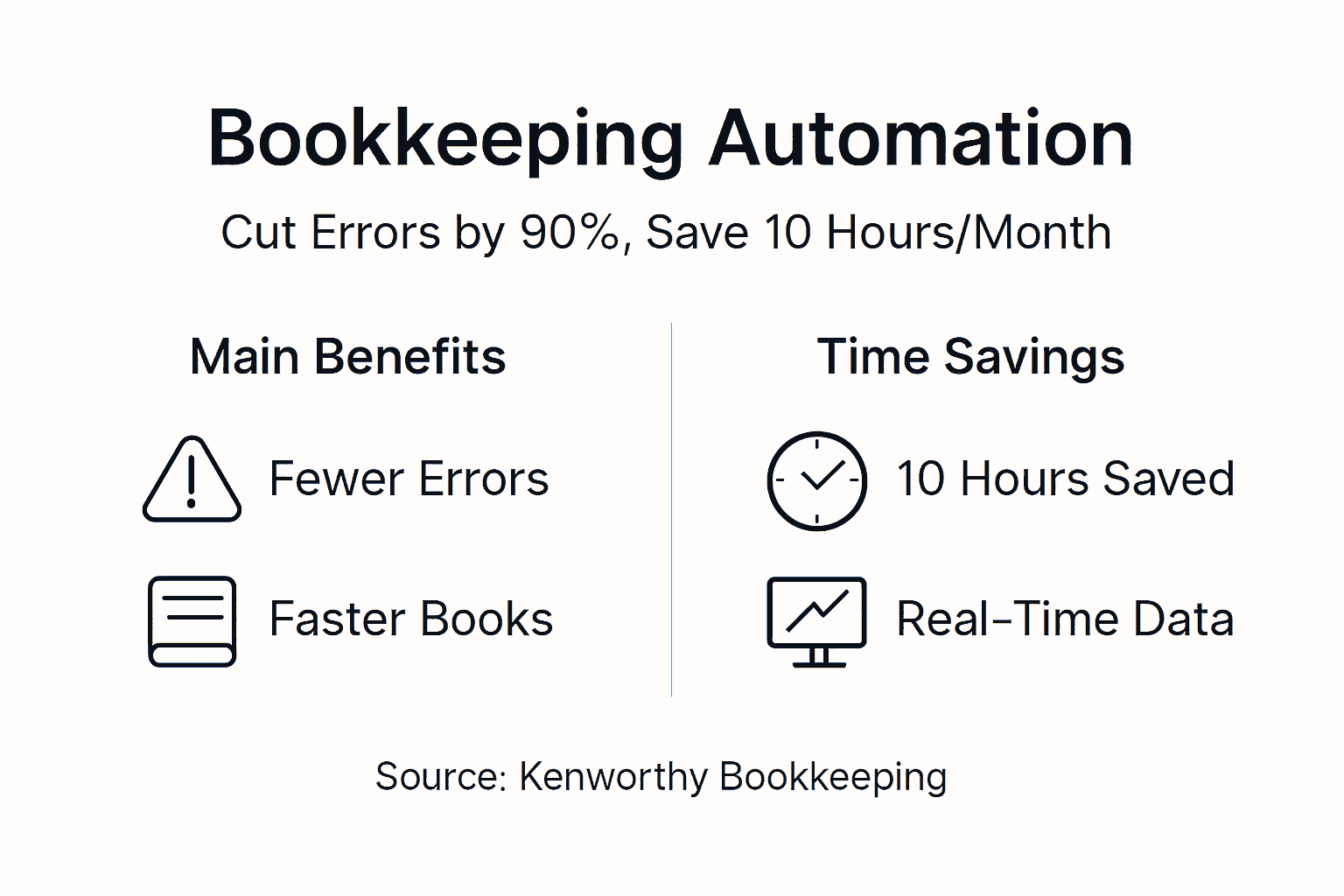
Bookkeeping automation tackles the root cause of financial mistakes: human data entry. Automated systems reduce manual entry errors by up to 90% through direct bank feed connections that import transactions automatically.

Bank reconciliation becomes nearly effortless. Instead of manually comparing statements line by line, automation matches transactions instantly. Research shows this approach cuts reconciliation errors by 70%, giving you confidence in your financial position.
Key accuracy improvements include:
- Elimination of transposition errors from manual entry
- Automatic duplicate detection prevents double counting
- Consistent categorization rules applied to every transaction
- Real-time validation catches mistakes immediately
- Audit trails track every change for accountability
Higher accuracy creates trustworthy data for critical decisions. When you know your true profit margins, you can price jobs confidently and identify which services generate the best returns. Clean books also simplify audits and ensure compliance with tax regulations.
Pro Tip: Set up your automation rules during a slow period. Spend time categorizing transactions correctly in the first month, and the system learns your preferences for future automation.
Automated systems also improve vendor and customer account accuracy. Payment matching happens instantly, reducing disputes and improving relationships. You’ll catch billing errors from suppliers before they impact your bottom line.
Time Savings and Efficiency Gains from Automation
Time is your most valuable asset as a business owner. Automation returns an average of 10 hours per month by handling repetitive bookkeeping tasks while you focus on customers and growth.
Month-end closing demonstrates dramatic efficiency gains. Manual processes often take two weeks to compile reports and reconcile accounts. Automated systems complete the same work in days, saving approximately 5 days monthly.
Automation handles these time-consuming tasks:
- Transaction import from all bank and credit card accounts
- Automatic categorization based on learned patterns
- Invoice generation and delivery to customers
- Payment reminders and tracking for outstanding invoices
- Expense receipt capture through mobile apps
- Report generation for profit and loss, balance sheets, and cash flow
The time savings compound over months. Ten hours monthly equals 120 hours annually, nearly three full work weeks you can redirect toward business development. Many Kansas City home services owners use this recovered time to take on additional jobs or improve customer service.
Faster financial closes mean timelier insights. You can review last month’s performance while it’s still fresh, adjusting pricing or operations based on actual data rather than gut feelings. This agility supports better strategic planning and competitive advantage.
Pro Tip: Track your time spent on bookkeeping for one month before automation, then compare after three months. The documented savings justify the investment and motivate consistent use.
Time Savings Reality: Small businesses save 120+ hours annually through bookkeeping automation, equivalent to three full work weeks redirected to revenue-generating activities.
Real-Time Financial Insights and Reporting
Automation transforms financial reporting from a rearview mirror into a real-time dashboard. Instead of waiting weeks for month-end reports, you access current data instantly through cloud-based systems.
Real-time dashboards help 65% of QuickBooks Online users improve cash flow management by spotting trends and issues immediately. When a major expense hits or customer payments slow, you see it happening and can respond proactively.
Tax preparation becomes manageable throughout the year. Automated categorization keeps everything organized, and systems accelerate tax prep significantly compared to manual methods. You avoid last-minute scrambles and potential penalties from missed deductions.
Reporting Timeline Comparison:
| Task | Manual Process | Automated Process | Time Saved |
|---|---|---|---|
| Monthly close | 10-14 days | 2-3 days | 7-12 days |
| P&L report generation | 3-4 hours | 5 minutes | 3+ hours |
| Cash flow analysis | 2-3 hours | Instant | 2-3 hours |
| Tax document prep | 15-20 hours | 4-6 hours | 10-15 hours |
Up-to-date information supports smarter decisions. Should you hire another technician? Can you afford new equipment? Real-time data answers these questions with confidence instead of guesswork.
Customizable dashboards highlight metrics that matter most to your business. Track gross profit by service type, monitor accounts receivable aging, or analyze seasonal patterns. The insights drive profitability improvements you’d miss with delayed reporting.
Common Misconceptions About Bookkeeping Automation
Many Kansas City small business owners hesitate to adopt automation based on outdated assumptions. Let’s address the most common myths preventing businesses from gaining these advantages.
The cost concern tops the list. Most automation tools cost under $50 monthly, far less than the hours you’ll save. The ROI typically appears within the first quarter through reduced errors and time savings alone.
Complexity fears are equally unfounded. Modern tools prioritize user-friendliness with intuitive interfaces designed for non-accountants. Setup wizards guide you through initial configuration, and most users achieve productivity within days, not months.
Common myths debunked:
- Myth: Automation replaces professional bookkeepers
- Reality: It handles repetitive tasks while professionals focus on strategy, compliance, and complex issues
- Myth: Only large businesses benefit from automation
- Reality: Small businesses gain proportionally larger benefits due to limited staff resources
- Myth: Learning new software takes too long
- Reality: Basic proficiency requires minimal training, often just a few hours
- Myth: My business is too unique for standard tools
- Reality: Customizable rules and categories adapt to any industry
The job replacement fear deserves special attention. Automation enhances professional bookkeepers rather than replacing them. It frees them from data entry to focus on analysis, planning, and advisory services that truly add value. Think of it as upgrading their capabilities.
Many Kansas City home services owners report that overcoming initial hesitation was their only regret because they wished they’d started sooner. The learning curve proves much gentler than expected, and the benefits begin immediately.
Specific Benefits for Home Services Businesses in Kansas City
Home services businesses face unique operational demands that make automation especially valuable. Between job sites, customer emergencies, and seasonal fluctuations, administrative tasks often get neglected until they create problems.
Automation reduces invoicing and job cost tracking time by 20% for home services companies. Mobile apps let technicians log expenses and time on-site, eliminating the evening paperwork pile. Invoices generate automatically from completed work orders, accelerating payment collection.
Seasonal volume swings challenge manual bookkeeping. Spring and summer bring surging demand that overwhelms paper-based systems. Automation scales effortlessly, handling peak periods without additional staff or weekend catch-up sessions.
Key advantages for home services:
- Job costing accuracy improves through automatic expense tracking
- Customer payment history visibility supports better credit decisions
- Equipment and vehicle expense monitoring simplifies tax deductions
- Technician productivity tracking identifies training opportunities
- Vendor payment automation ensures timely discounts and good relationships
Process Time Comparison:
| Process | Manual Method | Automated Method | Improvement |
|---|---|---|---|
| Invoice creation | 15 min/invoice | 2 min/invoice | 87% faster |
| Job cost calculation | 30 min/job | 5 min/job | 83% faster |
| Expense categorization | 2 hours/week | 15 min/week | 88% faster |
| Customer payment tracking | 1 hour/week | Real-time | 100% faster |
Operational efficiency gains extend beyond bookkeeping. When invoices go out immediately after job completion, you get paid faster. Better cash flow means you can handle more concurrent jobs without cash crunches.
Home services automation also improves customer service. Accurate job histories and payment records live at your fingertips during customer calls. You can quote accurately based on actual past costs rather than memory or guesswork.
Practical Implementation Steps for Small Businesses
Successful automation adoption requires planning rather than diving in blindly. Follow these steps to minimize disruption and maximize benefits for your Kansas City business.
Implementation roadmap:
- Audit current processes: Document where you spend bookkeeping time and which tasks cause the most errors or frustration.
- Choose appropriate software: QuickBooks Online serves most small businesses well with bank feeds, invoicing, and reporting. Match features to your specific needs.
- Plan data migration: Decide how much historical data to import. Most businesses need at least one full year for meaningful comparisons.
- Connect bank feeds: Link all business accounts, credit cards, and payment processors for automatic transaction import.
- Configure categorization rules: Spend time initially teaching the system your category preferences. This investment pays ongoing dividends.
- Train key users: Focus training on daily tasks like transaction review and invoice creation rather than trying to learn everything at once.
- Run parallel systems: Keep your old method running briefly while you verify automation accuracy and build confidence.
- Monitor and refine: Review reports weekly at first, adjusting rules and categories as needed.
Planning and focused training ensure successful adoption and quick ROI realization. Rushing implementation without proper setup creates frustration and undermines the benefits.
Allocate two to four weeks for initial setup and learning. This seems like a significant time investment, but remember you’re building a system that will save 10+ hours monthly going forward. The payback period is typically under three months.
Pro Tip: Schedule implementation during your slowest season. You’ll have mental bandwidth to learn the system properly without competing demands from peak business periods.
Ongoing support matters as your business evolves. Whether through software vendors, professional bookkeepers, or peer groups, maintain access to expertise for questions and optimization opportunities.
Many Kansas City small business owners find that working with a professional during setup accelerates results. They configure systems correctly from the start, avoiding common pitfalls that create problems later.
Streamline Your Small Business Bookkeeping with Kenworthy Bookkeeping
Ready to reclaim those 10 hours monthly and gain financial clarity? Kenworthy Bookkeeping specializes in helping Kansas City small businesses implement and optimize bookkeeping automation.

We guide you through every step, from selecting the right tools to configuring automation rules that match your business needs. Our QuickBooks Online expertise ensures you maximize the platform’s capabilities while avoiding common setup mistakes. Small business owners throughout Kansas City trust us to handle their bookkeeping so they can focus on growth.
Our specialized knowledge of home services operations means we understand your unique challenges. We’ll show you how to track job costs accurately, streamline invoicing, and maintain clear financial visibility even during your busiest seasons. Whether you run a plumbing, HVAC, landscaping, or other service business, we tailor solutions to your workflow.
From initial automation setup to ongoing monthly support, Kenworthy Bookkeeping ensures your financial operations run smoothly. Let us handle the numbers while you handle your customers.
Why Automate Bookkeeping? FAQs for Kansas City Small Business Owners
How much does bookkeeping automation typically cost for small businesses?
Most automation tools cost under $50 monthly, well within small business budgets. QuickBooks Online plans range from $30 to $200 depending on features, with most home services businesses thriving on mid-tier options. The time and error savings typically deliver ROI within three months, making the investment minimal compared to benefits.
Can automation tools replace my professional bookkeeper or accountant?
Automation handles repetitive data entry and transaction categorization, but professionals remain essential for strategic guidance. Bookkeepers provide expertise on tax planning, financial analysis, and complex situations that software cannot navigate alone. Think of automation as empowering your bookkeeper to focus on high-value advisory work rather than manual data entry. The best approach combines automated efficiency with professional oversight.
How long does it take to see benefits after implementing automation?
Most businesses experience measurable time savings within the first month as transaction imports and categorization take effect. Full benefits typically appear within three months once you’ve refined rules and built confidence in the system. Initial setup requires two to four weeks of focused attention, but the ROI arrives quickly through reduced errors and time savings that compound monthly.
What are the best automation tools for home services businesses?
QuickBooks Online leads for home services due to robust bank feeds, mobile expense tracking, and job costing features. It integrates with scheduling and dispatch software many contractors already use. Look for tools offering mobile apps for field technicians, customizable invoicing, and customer payment portals. Ease of use matters more than advanced features you’ll never utilize.
How does automation improve tax season preparation?
Automated categorization organizes transactions throughout the year, eliminating the year-end sorting nightmare. Systems generate organized profit and loss statements, expense summaries, and documentation that accountants need for returns. Real-time tracking helps you maximize deductions by capturing expenses immediately rather than forgetting them later. The result is faster, less stressful tax preparation with better outcomes and fewer penalties.






One Comment
Comments are closed.