
Automate Small Business Finances: Save 60% Time in 2026
Small business owners in Missouri spend roughly 11 hours every month manually sorting expenses, a task that drains time and opens the door to costly errors. Automation offers a proven path to reclaim that time, cutting manual work by up to 60% while boosting accuracy and freeing you to focus on growth. This guide walks you through the tools, steps, pitfalls, and results of finance automation, tailored specifically for small Missouri businesses ready to streamline operations and increase profitability.
Table of Contents
- Introduction And Prerequisites: Tools, Knowledge, And What’s Needed
- Core Steps To Implement Finance Automation
- Common Mistakes And Troubleshooting Automation Failures
- Expected Results And Measuring Success
- Alternative Automation Approaches And Tradeoffs
- Streamline Your Small Business Finances With Kenworthy Bookkeeping
- How To Automate Small Business Finances: FAQs
Key Takeaways
| Point | Details |
|---|---|
| Time savings | Automation reduces manual bookkeeping time by up to 60%, freeing 40+ hours monthly. |
| Setup matters | Proper initial configuration and staff training prevent up to 30% error rates during rollout. |
| Security boost | Multi-factor authentication cuts data breaches by 60%, protecting your financial data. |
| Implementation | Expect 1 to 3 months to fully integrate tools, train staff, and see improved accuracy up to 90%. |
| Flexible options | Different automation approaches suit various business sizes, budgets, and complexity levels. |
Introduction and Prerequisites: Tools, Knowledge, and What’s Needed
Every month, small business owners spend 11 hours manually categorizing expenses, a repetitive chore that invites human error and keeps you chained to spreadsheets. The good news is that 98% of small businesses nationally now adopt AI and cloud tools to escape this cycle, and Missouri companies are no exception. Before diving into automation, you need the right foundation.
Start with cloud accounting software like QuickBooks Online, which serves as your central hub for transactions, invoicing, and reporting. Pair it with AI-powered assistants or expense management apps that connect to your bank feeds and learn your spending patterns. You don’t need a finance degree, but basic bookkeeping knowledge helps. Understand terms like debits, credits, accounts payable, and reconciliation so you can spot issues quickly.
You also need reliable internet access, as cloud tools demand constant connectivity. Allocate time for staff training upfront, typically two to four hours per person. Budget for software subscriptions, which range from $30 to $150 per month depending on features, plus potential consulting fees if you want expert guidance during setup. Think of these costs as an investment that pays back in saved hours and fewer errors.
Pro Tip: Before selecting tools, map your current workflows on paper. Identify the three most time-consuming manual tasks, such as expense entry, invoice generation, or bank reconciliation. Choose software that automates those specific pain points first, ensuring immediate impact.
If you’re ready to streamline your Kansas City finances with professional support, consider working with a local expert who understands Missouri regulations and can guide your tool selection. For deeper technical details, explore this expense categorization automation guide and review Missouri small business technology trends shaping 2026.
Core Steps to Implement Finance Automation
Once your prerequisites are in place, follow these steps to bring automation into your daily operations. Start by assessing your current financial workflows. Walk through a typical month and note every manual task: entering receipts, categorizing transactions, generating invoices, reconciling bank statements, running payroll. Rank these by time consumed and error frequency.
Next, select cloud-based software that fits your business size and complexity. Prioritize tools with bank feed integration, automated categorization, and scalability as you grow. Look for APIs or native integrations with your existing systems, such as CRM or inventory platforms, to avoid data silos.
Now configure your automation workflows. Set up rules in your accounting software to auto-categorize recurring expenses, such as utilities or rent. Enable automatic invoice reminders for overdue payments. Connect payroll software to your accounting system so wages post automatically. Test each workflow with a small batch of transactions before rolling out company wide.

Train your team thoroughly. Schedule hands-on sessions where staff practice entering data, reviewing auto-categorized transactions, and generating reports. Address questions immediately and create a simple reference guide for common tasks. This reduces resistance and builds confidence.
Allow 1 to 3 months for full implementation, including testing and adjustments. Monitor error rates weekly during this period and tweak your rules as needed. Use flexible budgeting to accommodate unexpected costs, such as additional user licenses or consulting hours.
- Assess current workflows and identify top three manual tasks.
- Select compatible, scalable cloud accounting and automation software.
- Configure bank feeds, categorization rules, and invoice automation.
- Train staff with hands-on practice and clear documentation.
- Test workflows with small transaction batches before full rollout.
- Monitor error rates and adjust rules over the first three months.
Pro Tip: Schedule a weekly 15-minute review during your first month. Check auto-categorized transactions for accuracy and note any patterns of misclassification. Adjust your rules immediately, as early corrections prevent months of bad data.
For additional guidance, explore how to streamline your small business finances, review a comprehensive business finance checklist, or download a financial health checklist. Technical implementation timelines and best practices are detailed in this finance automation implementation guide.
| Step | Typical Duration | Key Deliverable |
|---|---|---|
| Workflow assessment | 1 week | Prioritized task list |
| Software selection | 2 weeks | Signed contracts, accounts created |
| Initial configuration | 2-4 weeks | Rules set, integrations live |
| Staff training | 1-2 weeks | Trained team, reference guide |
| Testing and adjustments | 4-6 weeks | Error-free workflows |
Common Mistakes and Troubleshooting Automation Failures
Even with careful planning, automation can stumble. Improper initial setup causes 30% error rates in the first weeks, usually from vague categorization rules or incomplete bank feed mappings. Review your setup thoroughly before going live. Double-check that each expense category has clear, specific rules and that all bank accounts sync correctly.
Neglecting staff training is another trap. When employees don’t understand how the system works, they either ignore it or use it incorrectly, nullifying your time savings. Invest in structured training sessions and follow up with Q&A periods. Make it clear that automation assists them rather than replaces them, reducing anxiety and boosting adoption.
Cybersecurity often takes a backseat until a breach occurs. Multi-factor authentication reduces data breaches by up to 60%, yet many small businesses skip this step. Enable MFA on every financial platform, enforce strong password policies, and schedule quarterly security audits. Your financial data is your business’s lifeblood; protect it accordingly.
Regular audits catch automation errors before they compound. Set a monthly reminder to review a sample of auto-categorized transactions. Look for anomalies, such as office supplies tagged as marketing or personal expenses mixed with business ones. Correct these immediately and update your rules to prevent recurrence.
Finally, rigid budgets derail projects when unexpected costs arise. Build a 10 to 15% buffer into your automation budget for software upgrades, additional training, or consulting help. Technology evolves rapidly, and flexibility keeps you ahead.
- Improper setup with vague rules leads to 30% error rates; validate all configurations before launch.
- Inadequate training delays adoption and wastes your investment; schedule structured sessions with follow-up support.
- Skipping multi-factor authentication invites breaches; enable MFA and conduct quarterly security reviews.
- Infrequent audits let errors multiply; review auto-categorized transactions monthly.
- Inflexible budgets stall projects; include a 10 to 15% contingency for unexpected needs.
For more troubleshooting advice, check out bookkeeping tips for small businesses, review common automation mistakes, and study security best practices for small businesses.
Expected Results and Measuring Success
When automation works as designed, the benefits are tangible and immediate. Automation saves 40 hours per month of manual work, freeing you and your team to focus on customer service, product development, or strategic planning. You’ll notice fewer late nights spent reconciling accounts and more time for activities that directly drive revenue.
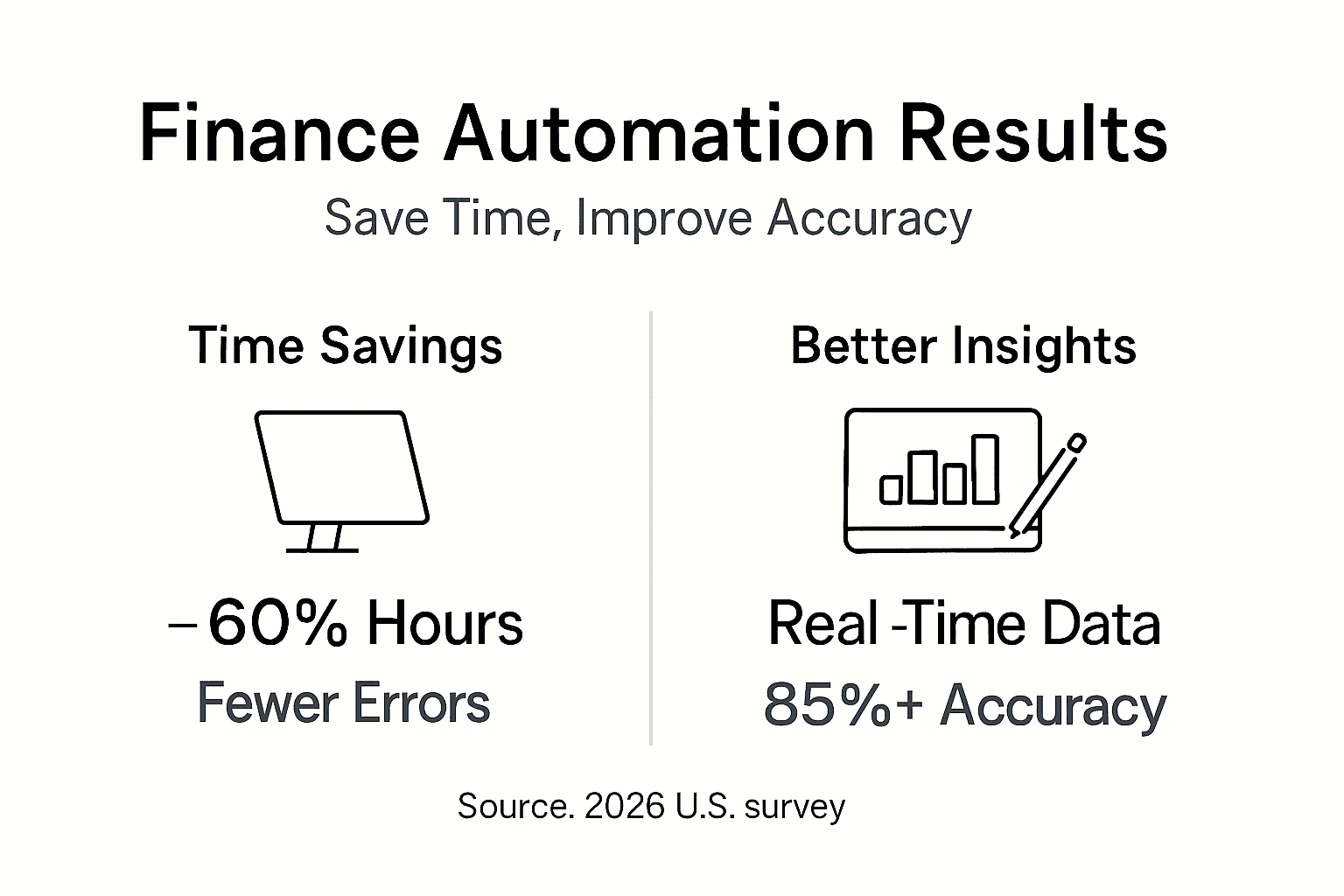
Financial reporting accuracy improves dramatically. After full implementation, many businesses see accuracy rates of 85 to 90%, compared to 60 to 70% with manual methods. This precision translates to better decision making, as you can trust your profit and loss statements, cash flow reports, and budget forecasts.
Real-time insights become your new normal. Instead of waiting until month-end to see where you stand, you access up-to-date dashboards that show cash flow, outstanding invoices, and expense trends. This visibility helps you spot problems early, such as a sudden spike in costs or slow-paying customers.
Cost savings accumulate over time. Fewer errors mean fewer expensive corrections, and reduced administrative overhead lets you reallocate staff to higher-value tasks. Some businesses report 20 to 30% reductions in bookkeeping costs within the first year.
To measure success, track these benchmarks monthly. Compare your current metrics against pre-automation baselines and adjust your processes if results lag expectations.
| Metric | Pre-Automation | Post-Automation (3 months) | Target Improvement |
|---|---|---|---|
| Manual hours/month | 40-50 | 15-20 | 60% reduction |
| Reporting accuracy | 60-70% | 85-90% | 20-30% increase |
| Days to close books | 10-15 | 3-5 | 50-70% faster |
| Error correction costs | $500-$1,000/month | $100-$200/month | 75-80% reduction |
- Time savings: Track hours spent on bookkeeping before and after automation.
- Accuracy improvements: Measure error rates in categorization and reconciliation.
- Cash flow visibility: Note how quickly you can access current financial data.
- Cost reductions: Calculate savings from fewer errors and lower admin overhead.
- Staff satisfaction: Survey your team on ease of use and workload changes.
For ongoing monitoring, use a financial health assessment framework and review detailed automation success benchmarks to ensure you stay on track.
Alternative Automation Approaches and Tradeoffs
No single automation strategy fits every business. Basic invoicing automation, for instance, costs as little as $20 per month and handles billing reminders and payment tracking. It’s ideal for service businesses with straightforward invoicing needs but won’t help with complex expense categorization or payroll.
Robotic Process Automation (RPA) takes automation further by mimicking human actions across multiple systems. RPA can extract data from invoices, post entries to your accounting software, and trigger approval workflows. It delivers substantial error reductions and time savings but requires technical expertise to configure and maintain, making it better suited for businesses with IT support or higher transaction volumes.
Cloud-based accounting platforms like QuickBooks Online offer a middle ground. They provide bank feed integration, automated categorization, and reporting dashboards at moderate cost ($30 to $150 per month). These platforms scale well and integrate with hundreds of third-party apps, but you’ll need to invest time learning the software and training your team.
Hybrid AI and manual bookkeeping models combine automation’s speed with human oversight. AI handles routine tasks like categorization and data entry, while a bookkeeper reviews exceptions, reconciles accounts, and provides strategic advice. This approach balances efficiency with expertise, reducing errors while maintaining the personal touch many small businesses value.
Tradeoffs include upfront investment, training time, scalability, and security. Basic tools have low costs but limited features. Advanced RPA delivers maximum automation but demands higher technical skills. Cloud platforms offer flexibility but require ongoing subscription fees. Hybrid models provide accuracy and guidance but involve monthly bookkeeping service costs.
| Approach | Cost Range | Setup Time | Best For | Key Tradeoff |
|---|---|---|---|---|
| Basic invoicing automation | $20-$50/month | 1-2 weeks | Simple billing needs | Limited scope, no expense automation |
| Cloud accounting (QuickBooks, Xero) | $30-$150/month | 4-6 weeks | Growing businesses | Moderate learning curve, ongoing fees |
| Robotic Process Automation (RPA) | $200-$500/month | 2-3 months | High transaction volumes | Technical complexity, IT support needed |
| Hybrid AI and manual bookkeeping | $300-$800/month | 2-4 weeks | Businesses valuing expert oversight | Higher monthly cost, relies on service provider |
- Basic automation suits startups with tight budgets and simple workflows.
- Cloud platforms balance cost, features, and scalability for most small businesses.
| RPA fits companies with high volumes and technical resources. - Hybrid models deliver expert guidance alongside automation benefits.
To choose wisely, assess your transaction volume, budget, technical skills, and tolerance for complexity. For practical organization strategies, explore how to organize small business finances and match your needs to the right tools.
Streamline Your Small Business Finances with Kenworthy Bookkeeping
You’ve learned the steps, pitfalls, and tradeoffs of finance automation, but implementation still feels overwhelming. That’s where Kenworthy Bookkeeping steps in.

We specialize in helping Missouri small businesses implement and optimize finance automation using QuickBooks Online. Our team handles software setup, configures categorization rules, trains your staff, and provides ongoing oversight to catch errors before they multiply. We combine automation’s efficiency with human expertise, delivering the hybrid model that balances speed and accuracy.
Whether you’re starting from scratch or fixing a failed DIY attempt, we offer tailored solutions that fit your industry, transaction volume, and budget. Access our bookkeeping basics guide to strengthen your foundational knowledge, download our bookkeeping checklist guide to stay organized, and schedule a bookkeeping consultation to discuss your specific automation goals. Let’s reclaim those 40 hours each month and put them back into growing your business.
How to Automate Small Business Finances: FAQs
How secure is finance automation for small businesses?
Automation platforms use bank-level encryption and multi-factor authentication, cutting breaches by 60%. Enable MFA, enforce strong passwords, and conduct quarterly security audits to maximize protection.
How long does it take to fully implement finance automation?
Most businesses need 1 to 3 months to configure tools, train staff, and fine-tune workflows. Expect weekly adjustments during the first month as you optimize categorization rules.
Will automation eliminate bookkeeping jobs?
No. Automation handles repetitive data entry, freeing bookkeepers to focus on strategic analysis, error detection, and advisory services. Hybrid models that pair AI with human oversight deliver the best results.
What does finance automation cost for a small business?
Basic tools start at $20 per month, while comprehensive cloud platforms range from $30 to $150 monthly. Add training time, potential consulting fees, and a 10 to 15% budget buffer for unexpected costs.
How do I know if automation is working correctly?
Monitor time savings, error rates, and reporting accuracy monthly. Compare these metrics to pre-automation baselines and conduct regular audits of auto-categorized transactions to catch issues early.
Can I automate finances without technical expertise?
Yes. Modern cloud accounting platforms are designed for non-technical users. Invest in initial training, use vendor tutorials, and consider hiring a bookkeeping service to guide setup and troubleshooting.