

Account Reconciliation: Boosting Small Business Accuracy
Most American small businesses face financial headaches when discrepancies pop up in their books. Accurate account reconciliation is not just a formality—it can make the difference between peace of mind and costly penalties. Over 60 percent of American businesses identify account errors as a top stress factor. Reliable reconciliation protects cash flow, spots mistakes early, and keeps your financial statements on solid ground.
Table of Contents
- What Is Account Reconciliation? Key Principles
- Types of Account Reconciliation Methods
- How Account Reconciliation Works in QuickBooks
- Risks of Ignoring Reconciliation Tasks
- Common Mistakes and How to Avoid Them
Key Takeaways
| Point | Details |
|---|---|
| Importance of Reconciliation | Account reconciliation is essential for maintaining financial accuracy and transparency, helping to detect discrepancies and prevent errors. |
| Methods of Reconciliation | Small businesses can choose between manual and automated reconciliation approaches, with automated methods offering increased efficiency and reduced errors. |
| Risks of Ignoring Reconciliation | Neglecting reconciliation tasks leads to financial inaccuracies, potential fraud, and compliance issues, which can have long-term negative consequences. |
| Common Mistakes to Avoid | Frequent errors occur from manual processes, such as inconsistent transaction categorization and overlooked charges; implementing automated solutions can help mitigate these risks. |
What Is Account Reconciliation? Key Principles
Account reconciliation is a critical financial management process where businesses systematically compare different sets of financial records to verify accuracy, detect discrepancies, and ensure complete financial transparency. Comparing two sources or systems helps small business owners identify potential errors, unauthorized transactions, and maintain precise financial reporting.
At its core, account reconciliation involves matching transactions and balances across multiple financial documents such as bank statements, general ledger entries, subsidiary ledgers, and internal accounting records. This internal control process ensures the accuracy of financial records by systematically identifying and resolving differences between expected and actual financial data.
Small businesses typically perform account reconciliation through several strategic approaches:
- Comparing bank statements with internal cash records
- Matching accounts payable and receivable ledgers
- Verifying expense categorizations and transaction details
- Tracking potential discrepancies in revenue and spending patterns
Pro Tip: Regular Reconciliation Schedule: Set a consistent monthly reconciliation schedule to catch small errors before they compound into significant financial discrepancies, ideally within the first week after each month’s financial statements are available.
Types of Account Reconciliation Methods
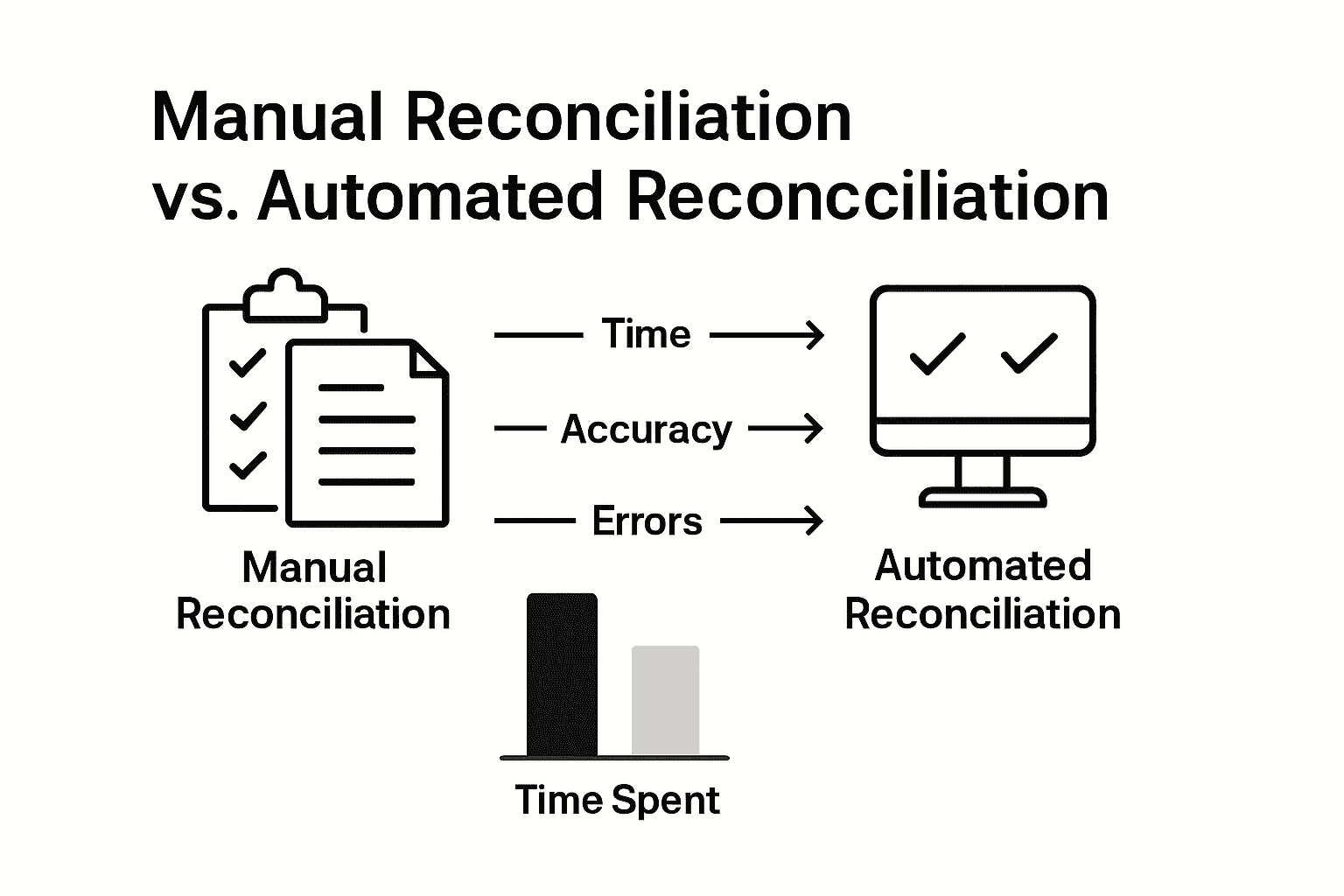
Account reconciliation methods have evolved significantly, offering small business owners multiple approaches to ensure financial accuracy. Businesses can choose between manual reconciliation and automated reconciliation techniques that help streamline their financial management processes and reduce potential errors.
Manual Reconciliation remains a traditional method where business owners or bookkeepers physically compare financial documents line by line. This approach involves carefully reviewing bank statements, checking account records, credit card statements, and internal ledgers to identify any discrepancies. While time-consuming, manual reconciliation can be effective for smaller businesses with limited transaction volumes.
Automated Reconciliation represents a more advanced approach that leverages technology to simplify financial tracking. Advanced systems now use artificial intelligence for intelligent transaction matching, dramatically reducing human error and increasing efficiency. These digital solutions can:
- Automatically match transactions across multiple financial platforms
- Flag potential discrepancies in real-time
- Generate comprehensive reconciliation reports
- Integrate seamlessly with existing accounting software
Pro Tip: Software Selection Strategy: Research and test multiple reconciliation software options, prioritizing solutions that integrate directly with your existing accounting systems and offer user-friendly interfaces tailored to small business needs.
Here is a comparison of manual versus automated account reconciliation approaches:
| Aspect | Manual Reconciliation | Automated Reconciliation |
|---|---|---|
| Time Investment | High, labor-intensive | Low, rapid processing |
| Human Error Risk | Elevated due to manual entry | Minimized by digital checks |
| Scalability | Difficult for large volumes | Easily handles many transactions |
| Reporting Features | Limited, often manual | Robust, automated reports |
| Implementation Cost | Minimal upfront, but time costly | Software expense, but time savings |
How Account Reconciliation Works in QuickBooks
QuickBooks provides small business owners with a streamlined approach to account reconciliation, making financial tracking more efficient and accurate. The reconciliation process involves comparing bank statements with internal financial records to ensure every transaction is properly documented and accounted for.

Bank Reconciliation in QuickBooks operates through a systematic workflow designed to simplify financial management. The software guides users through a step-by-step process of matching transactions, identifying discrepancies, and making necessary adjustments. This includes reviewing bank statements, checking cleared transactions, and highlighting any outstanding items that require further investigation.
The key features of QuickBooks reconciliation include:
- Automatic transaction importing from bank accounts
- Side-by-side comparison of bank statements and accounting records
- Detailed tracking of unreconciled transactions
- Comprehensive reporting of financial discrepancies
- Real-time updates to financial statements
Small businesses can optimize their reconciliation process by tracking their financial health through strategic budget planning, which complements the detailed reconciliation process in QuickBooks.
Pro Tip: Reconciliation Rhythm: Schedule your QuickBooks reconciliation consistently – ideally weekly for high-transaction businesses or monthly for smaller operations – to maintain real-time financial accuracy and catch potential errors quickly.
Risks of Ignoring Reconciliation Tasks
Neglecting account reconciliation exposes small businesses to significant financial vulnerabilities that can have devastating long-term consequences. Unaddressed reconciliation tasks can lead to undetected errors, financial misstatements, and increased risk of fraud, potentially creating substantial financial and legal challenges for business owners.
Financial Inaccuracies represent one of the most immediate risks of avoiding reconciliation. Unreconciled accounts can create a cascade of problems, including incorrect tax reporting, misrepresented business performance, and potential cash flow miscalculations. These discrepancies can lead to poor financial decision-making, unexpected tax liabilities, and potentially trigger costly audits from government agencies.
The specific risks small businesses face when ignoring reconciliation include:
- Undetected fraudulent transactions
- Missed opportunities to identify billing errors
- Inaccurate financial statements
- Potential compliance violations
- Increased vulnerability to internal theft
Small businesses can mitigate these risks by implementing strategic financial health practices that include regular and thorough account reconciliation.
Below is a summary of consequences for ignoring account reconciliation tasks:
| Risk Category | Example Impact | Long-Term Consequence |
|---|---|---|
| Financial Accuracy | Incorrect financial statements | Poor business decisions |
| Fraud Detection | Missed unauthorized activities | Increased fraud losses |
| Compliance | Failure to follow regulations | Government audits or fines |
| Cash Flow | Inaccurate balances | Unexpected shortages or overdrafts |
Pro Tip: Risk Mitigation Strategy: Develop a consistent reconciliation protocol with clear accountability, designating a specific team member or external bookkeeping service responsible for monthly financial review and immediate discrepancy reporting.
Common Mistakes and How to Avoid Them
Account reconciliation can be fraught with potential errors that undermine financial accuracy and business performance. Many reconciliation mistakes stem from relying on manual processes prone to errors and delays, which can create significant financial risks for small businesses.
Manual Data Entry represents one of the most critical areas of potential mistakes. Small business owners frequently encounter challenges with inconsistent record-keeping, missed transactions, and human error when manually tracking financial information. These errors can compound quickly, leading to substantial discrepancies in financial reporting and potentially triggering costly audits or compliance issues.
The most common reconciliation mistakes include:
- Inconsistent transaction categorization
- Failing to record small transactions
- Overlooking bank fees and service charges
- Neglecting to reconcile accounts monthly
- Mismatching transaction dates
- Ignoring recurring billing discrepancies
Automated reconciliation solutions using intelligent matching technologies can dramatically reduce these risks by providing real-time error detection and comprehensive transaction tracking.
Pro Tip: Error Prevention Protocol: Implement a dual-review system where a second team member cross-checks reconciliation work, creating an additional layer of verification and reducing the likelihood of overlooked mistakes.
Take Control of Your Finances with Expert Account Reconciliation Support
The article highlights critical challenges such as managing time-consuming manual reconciliation processes, avoiding costly errors, and ensuring accurate financial reporting. If you struggle with regular account reconciliation or fear missing discrepancies that could harm your small business, it is time to get professional help. Kenworthy Bookkeeping specializes in simplifying QuickBooks reconciliation and offers comprehensive bookkeeping services that include bank reconciliations, accurate transaction categorization, and proactive financial reviews tailored to small businesses in Kansas City.

Stop risking financial inaccuracies and fraud by letting experts handle your bookkeeping with precision and care. Discover how working with Kenworthy Bookkeeping can boost your business accuracy and ease your reconciliation workload today. Learn more or schedule a consultation now at Kenworthy Bookkeeping Consult to regain full control over your finances and prepare confidently for tax season. Your financial peace of mind starts here.
Frequently Asked Questions
What is account reconciliation?
Account reconciliation is the process of comparing different sets of financial records to verify their accuracy, detect discrepancies, and ensure financial transparency for businesses.
Why is account reconciliation important for small businesses?
Account reconciliation helps small businesses identify errors, unauthorized transactions, and maintain precise financial reporting, which is crucial for effective financial management and decision-making.
What are the different methods of account reconciliation?
The two primary methods of account reconciliation are manual reconciliation, where records are compared line by line, and automated reconciliation, which uses technology to streamline and reduce errors in the financial tracking process.
How can QuickBooks assist in the account reconciliation process?
QuickBooks simplifies account reconciliation by allowing users to compare bank statements with internal records, track discrepancies, and generate comprehensive reports, thus making financial management more efficient.






3 Comments
Comments are closed.