

Streamline business bookkeeping with QuickBooks Online
Bookkeeping challenges drain time and create costly errors for small businesses in Kansas City. Manual processes, inconsistent categorization, and inefficient invoicing systems leave owners overwhelmed and uncertain about their financial position. QuickBooks Online offers powerful automation and accuracy tools that transform bookkeeping from a burden into a streamlined system. This guide walks you through practical methods to optimize your QuickBooks Online setup, automate routine tasks, and maintain accurate records that support business growth.
Table of Contents
- Understanding Your Starting Point: Bookkeeping Challenges And Necessary Tools
- Step 1: Setting Up QuickBooks Online For Accuracy And Efficiency
- Step 2: Automating Routine Bookkeeping Tasks
- Step 3: Maintaining Accurate Records With Regular Reviews And Reconciliation
- Optimize Your Bookkeeping With Expert Help From Kenworthy Bookkeeping
Key takeaways
| Point | Details |
|---|---|
| Daily categorization and monthly reconciliation | Implementing these routines cuts errors by 15-20% and boosts efficiency by 10-15%. |
| Automate invoicing and bank feeds | These features accelerate payment cycles by 20-25% and provide real-time cash flow visibility. |
| Customize your QuickBooks setup | Proper chart of accounts configuration saves over 20 hours monthly and prevents reporting confusion. |
| Apply security best practices | Multi-factor authentication and role-based permissions reduce unauthorized access risks by up to 90%. |
Understanding your starting point: bookkeeping challenges and necessary tools
Small businesses face recurring bookkeeping obstacles that consume valuable time and introduce financial uncertainty. Manual transaction entry creates opportunities for categorization mistakes that distort financial reports. Without standardized processes, invoice tracking becomes inconsistent and cash flow suffers. 80% of QuickBooks Online errors come from the same patterns, meaning most problems are preventable with proper setup and routines.
QuickBooks Online provides specific features designed to eliminate these common pain points. Bank feeds automatically download transactions from connected accounts, giving you real-time financial data without manual entry. Bank rules apply your categorization logic automatically to matching transactions, reducing repetitive work. Recurring transactions handle predictable income and expenses without manual creation each period.
Leveraging these tools transforms bookkeeping from reactive cleanup to proactive financial management. Understanding how each feature addresses specific challenges helps you build an efficient workflow. The key is moving from manual processes to automated systems that maintain accuracy while freeing your time for strategic business decisions. Check out these bookkeeping tips for small businesses to build a solid foundation.
Awareness of common errors helps you avoid workflow disruptions before they occur. Transaction categorization mistakes compound over time, making cleanup increasingly difficult. Missing reconciliations hide errors that surface later during tax preparation. Inadequate security permissions expose sensitive financial data to unauthorized access.
Step 1: Setting up QuickBooks Online for accuracy and efficiency
Proper QuickBooks Online configuration creates the foundation for accurate financial reporting and efficient workflows. Your chart of accounts needs customization to reflect your specific business operations rather than generic templates. Customizing the chart of accounts can save over 20 hours a month by preventing misclassifications that require correction later.
Follow these configuration steps for optimal setup:
- Review your default chart of accounts and remove unnecessary categories that create confusion during transaction entry.
- Add accounts specific to your business operations, ensuring each has a clear purpose that team members understand.
- Establish a logical numbering system if you need detailed tracking across multiple departments or locations.
- Set up sub-accounts only when you need detailed breakdowns without cluttering your primary financial statements.
- Configure account defaults for common transactions to speed up data entry and maintain consistency.
User permissions require careful attention to balance accessibility with security. Assigning user permissions based on roles improves security by limiting data exposure to only necessary personnel. Create distinct user roles for bookkeepers, accountants, and employees who need limited access. Each role should have minimum permissions required for their specific responsibilities.
Security measures protect your financial data from unauthorized access and potential breaches. Multi-factor authentication critical for security reduces breach risks significantly. Enable this feature for all users, especially those accessing QuickBooks Online remotely. Require strong passwords with regular updates and maintain a log of user activity to monitor suspicious access patterns.
Pro Tip: Document your chart of accounts structure with brief descriptions explaining when to use each category. This reference guide ensures consistent categorization even when different team members handle transactions, and explore bookkeeping organization tips small businesses for additional strategies.
Step 2: Automating routine bookkeeping tasks
Automation transforms time-consuming manual processes into efficient systems that maintain accuracy while freeing your attention for strategic decisions. Connecting bank feeds automates cash flow tracking by downloading transactions automatically and providing real-time financial visibility. Link all business bank accounts and credit cards to establish continuous data flow.

Bank rules eliminate repetitive categorization by applying your logic automatically to matching transactions. Bank rules automate transaction categorization to save time and maintain consistency across similar expenses. Create rules for frequent vendors, recurring expenses, and standard income sources. Each rule can specify multiple conditions to ensure accurate matching without false positives.
Key automation features to implement:
- Bank feed connections for all business accounts providing daily transaction updates
- Bank rules covering your 20 most frequent transaction types to handle 80% of categorization automatically
- Recurring transactions for predictable expenses like rent, subscriptions, and loan payments
- Automated invoice creation and delivery for regular clients with standard terms
- Payment reminders that send automatically before and after invoice due dates
Automated invoicing improves cash flow and payment speed by reducing payment cycles and following up consistently. Set up invoice templates with your branding and standard payment terms. Configure automatic delivery schedules for recurring clients and enable online payment options to reduce friction. Payment reminders sent three days before due dates and again at one week overdue significantly improve collection rates.
| Automation Feature | Time Saved Weekly | Error Reduction |
|---|---|---|
| Bank feeds | 2-3 hours | 85% fewer entry errors |
| Bank rules | 3-4 hours | 90% categorization accuracy |
| Recurring transactions | 1-2 hours | 100% consistency |
| Automated invoicing | 2-3 hours | 95% delivery success |
Pro Tip: Start with bank rules for your five most frequent transaction types and expand gradually. This approach lets you verify accuracy before automating everything, and learn ways to streamline small business finances for comprehensive optimization.
Step 3: Maintaining accurate records with regular reviews and reconciliation
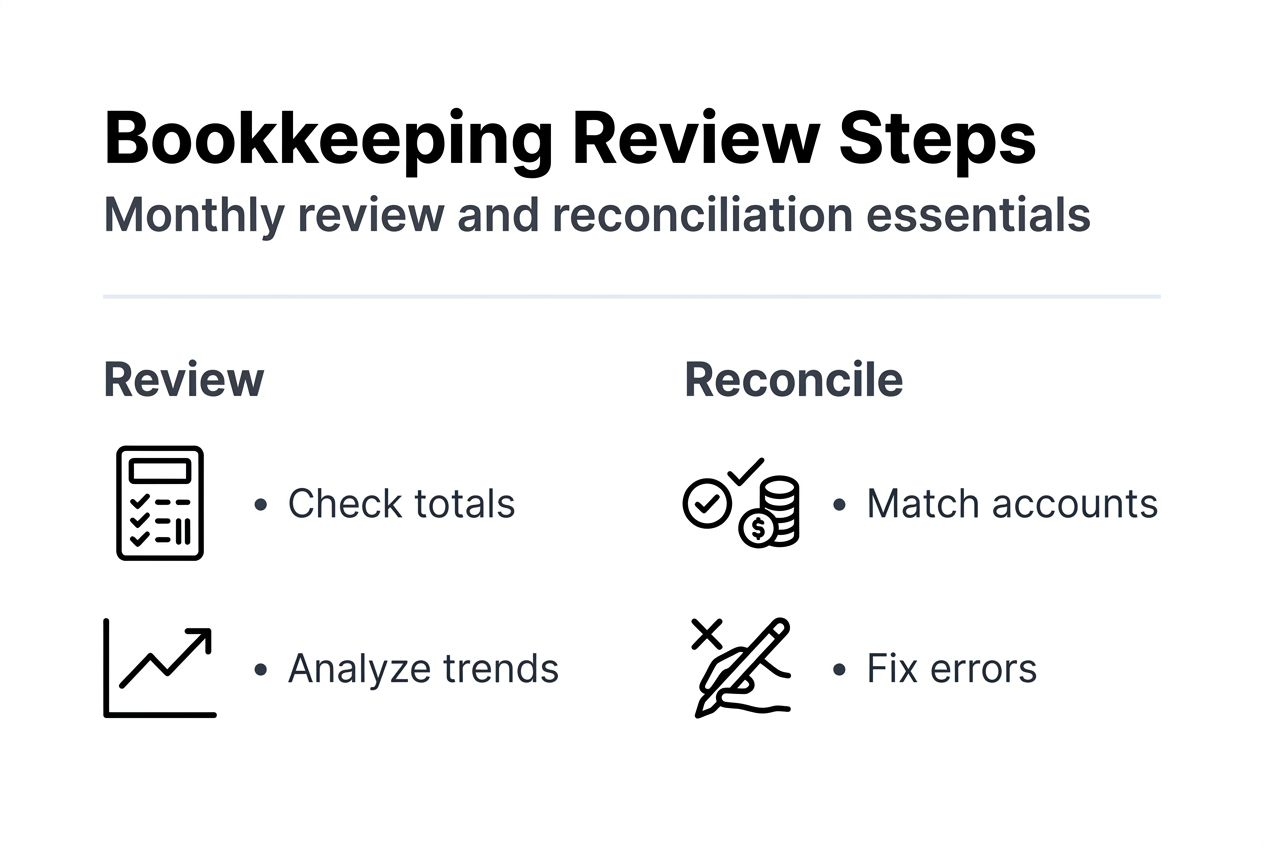
Consistent review routines catch errors early when corrections are simple rather than discovering problems months later during tax preparation. Daily transaction categorization and monthly reconciliation improve accuracy and efficiency by maintaining clean data that supports reliable financial decisions. Establish specific times for these activities rather than handling them sporadically.
Implement these maintenance routines:
- Review uncategorized transactions daily or every other day to prevent backlogs that become overwhelming.
- Verify bank rule matches weekly to catch any automation errors before they accumulate.
- Reconcile all accounts monthly, comparing QuickBooks balances against bank statements line by line.
- Close your books each month after reconciliation to prevent accidental changes to finalized periods.
- Generate and review key reports monthly to spot trends and anomalies requiring investigation.
Monthly closing is a best practice for clean records that maintains audit readiness and prevents historical data corruption. Closing prevents modifications to prior periods that could distort comparative reporting. It creates a clear checkpoint for each accounting period and simplifies year-end procedures.
Reconciliation differences reveal discrepancies requiring investigation:
- Missing transactions not recorded in QuickBooks
- Duplicate entries creating inflated balances
- Timing differences where transactions clear accounts in different periods
- Bank errors requiring correction requests
- Fraudulent charges needing immediate attention
Sales tax management requires regular attention to maintain compliance. Correct sales tax setup helps avoid penalties that can be substantial for Kansas City businesses. Verify your sales tax rates match current Kansas City requirements and update them when jurisdictions adjust rates. Review sales tax reports monthly and file returns on schedule to avoid late penalties.
| Reconciliation Approach | Best For | Time Investment | Accuracy Level |
|---|---|---|---|
| Manual reconciliation | Complex transactions needing investigation | 2-3 hours monthly | High with careful review |
| Automated reconciliation | Straightforward accounts with few discrepancies | 30-45 minutes monthly | Very high with proper setup |
Understand the role reconciliation bookkeeping plays in financial accuracy. Follow a structured monthly financial review process small business to stay on track. Use a business financial health assessment guide to evaluate your overall financial position regularly.
Optimize your bookkeeping with expert help from Kenworthy Bookkeeping
Implementing these QuickBooks Online best practices delivers significant time savings and accuracy improvements, but setup and ongoing optimization require expertise that many Kansas City business owners lack time to develop. Professional bookkeeping support ensures you avoid common configuration mistakes while establishing efficient workflows from the start.

Kenworthy Bookkeeping specializes in QuickBooks Online optimization for small businesses throughout the Kansas City area. Our team handles complete setup including chart of accounts customization, bank feed connections, automation rules, and security configuration. We establish monthly review routines that maintain accuracy without consuming your valuable time. Clients typically save 10-15 hours monthly while gaining confidence in their financial data for better business decisions. Our services include categorization, bank reconciliations, P&L reports, and tax season preparation that keeps you audit-ready year-round. Schedule a Kenworthy Bookkeeping consultation to discover how professional bookkeeping transforms your financial management.
How can I reduce bookkeeping errors using QuickBooks Online?
What daily practices minimize transaction categorization mistakes?
Review and categorize transactions daily or every other day to prevent backlogs. Create bank rules for frequent transaction types to automate 80% of categorization work.
How does monthly reconciliation improve accuracy?
Reconciling accounts monthly catches discrepancies early when corrections are straightforward. This practice reduces errors by 15-20% compared to quarterly or annual reconciliation.
Which automation features prevent manual entry errors?
Bank feeds eliminate manual transaction entry by downloading data directly from financial institutions. Recurring transactions automate predictable income and expenses with 100% consistency.
Should I close my books each month?
Yes, monthly closing prevents accidental modifications to finalized periods. This practice maintains clean historical data and simplifies year-end procedures significantly.
What QuickBooks Online features help improve my business cash flow management?
How does automated invoicing accelerate payments?
Automated invoice delivery and payment reminders reduce payment cycles by 20-25%. Online payment options remove friction that delays customer payments.
What visibility do bank feeds provide for cash flow?
Bank feeds deliver real-time transaction updates showing current cash positions. This immediate visibility helps you make informed spending and investment decisions daily.
Can recurring transactions help predict cash flow?
Recurring transactions model predictable income and expenses for accurate cash flow forecasting. This feature helps you anticipate tight periods and plan accordingly.
How often should I review and close my books for best results?
What is the optimal reconciliation frequency?
Reconcile all accounts monthly immediately after receiving bank statements. This frequency balances thoroughness with time investment while catching errors promptly.
How often should I close accounting periods?
Close your books monthly after completing reconciliation and generating key reports. Monthly closing maintains data integrity and prevents historical modifications.
What financial reviews should I conduct monthly?
Generate and analyze profit and loss statements, balance sheets, and cash flow reports monthly. These reviews help you spot trends, identify problems, and make strategic adjustments.
What security measures should I take when using QuickBooks Online?
Why is multi-factor authentication essential?
Multi-factor authentication reduces unauthorized access risks by up to 90%. This security layer requires verification beyond passwords, protecting sensitive financial data.
How should I assign user permissions?
Create role-based permissions giving users minimum access required for their responsibilities. Limit sensitive functions like bank account access and report exports to essential personnel only.
What password practices improve QuickBooks security?
Require strong passwords with at least 12 characters including numbers and symbols. Mandate password changes every 90 days and prohibit password reuse across accounts.





One Comment
Comments are closed.