
Accounts Payable Management: Cut Processing Time by 80%
Managing accounts payable for your Kansas City home service business can feel like a constant juggling act. Manual invoice processing, payment delays, and scattered vendor data drain your time and hurt cash flow. This guide shows you exactly how to streamline AP processes, reduce processing time by up to 80%, and build stronger vendor relationships through automation and smart controls.
Table of Contents
- Introduction To Accounts Payable Management
- Prerequisites And Tools Needed For Effective AP Management
- Step-By-Step Guide To Automate And Streamline Accounts Payable
- Common Mistakes And Troubleshooting In Accounts Payable
- Measuring Success: Expected Outcomes And Benchmarks
- Streamline Your Finances With Kenworthy Bookkeeping
- FAQ
Key Takeaways
| Point | Details |
|---|---|
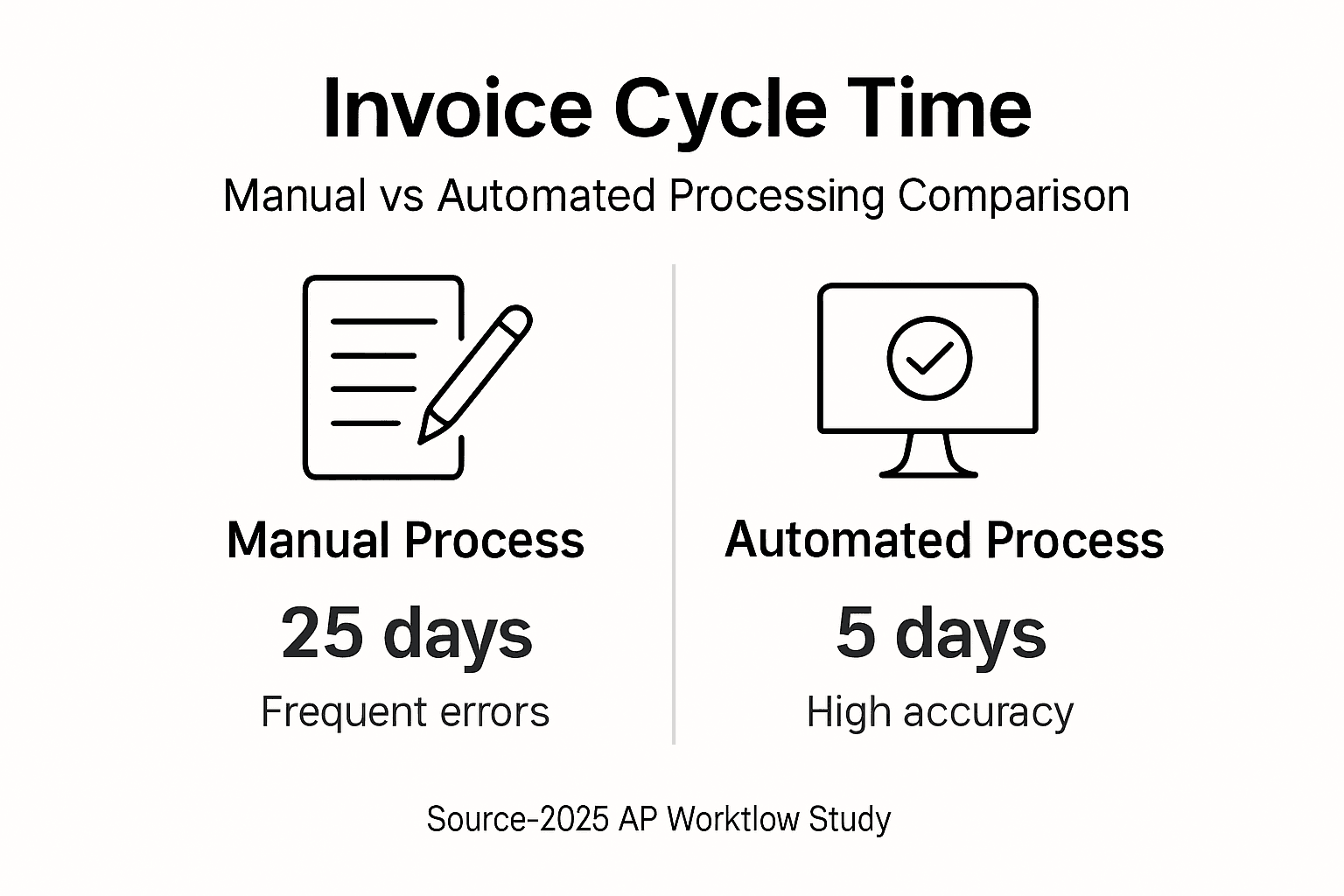
| Automation drastically cuts time | Invoice processing drops from 25 days to just 5 days with AP automation |
| Centralized data prevents errors | A single vendor database eliminates duplicate payments and speeds approvals |
| Digital payments build trust | ACH and electronic transfers improve vendor relationships and transaction speed |
| Strong controls stop fraud | Segregation of duties and access restrictions protect your business finances |
| KPIs drive continuous improvement | Tracking cycle time and cost per invoice reveals opportunities for ongoing gains |
Introduction to Accounts Payable Management
Accounts payable represents the money your business owes to vendors and suppliers for goods and services. Effective AP management directly impacts your cash flow, vendor relationships, and overall financial health. When your AP process runs smoothly, you pay bills on time, maintain good credit terms, and have clear visibility into your financial obligations.
Many small home service businesses still rely on manual AP processes that cause time delays and errors, impacting both cash flow and vendor relations. Paper invoices pile up on desks. Approval workflows stall in email chains. Payment runs happen haphazardly, often missing early payment discounts or incurring late fees.
These inefficiencies create real business problems:
- Delayed payments damage vendor trust and may result in stricter payment terms
- Manual data entry consumes hours each week that could go toward revenue activities
- Missing or duplicate invoices create accounting headaches and financial reporting gaps
- Poor cash flow visibility makes strategic planning nearly impossible
The solution lies in streamlining and automating your AP workflows. Modern tools integrated with platforms like QuickBooks Online can transform your AP process from a time drain into a strategic advantage. By following bookkeeping best practices for Kansas City owners and addressing common AP mistakes and solutions, you can reclaim hours each week while improving financial accuracy.
Prerequisites and Tools Needed for Effective AP Management
Before diving into automation, you need the right foundation. Success starts with proper tools, organized data, and trained team members who understand their roles in the AP workflow.
Start with accounting software that supports AP automation. QuickBooks Online serves as an excellent foundation for small businesses, offering native AP features and integration with specialized tools. Your software should handle invoice capture, approval routing, payment processing, and reporting without forcing you to juggle multiple disconnected systems.
Accounting software compatibility and centralized vendor data are crucial for AP automation success. A centralized vendor database eliminates the chaos of scattered spreadsheets and sticky notes. This single source of truth should include:
- Complete vendor contact information and tax details
- Payment terms and preferred payment methods
- Historical payment data and communication records
- Current account balances and payment schedules
Your team needs clear role definitions and proper training. Designate who captures invoices, who approves them, and who processes payments. This segregation of duties prevents fraud and creates accountability. Even in a small team, you can structure workflows to maintain proper controls.
Consider these essential tool categories:
| Tool Type | Purpose | Examples for Small Businesses |
|---|---|---|
| Accounting Software | Core financial management | QuickBooks Online, Xero |
| Invoice Capture | Digitize paper invoices | Mobile scanning apps, email forwarding |
| AP Automation | Workflow and approvals | Bill.com, Melio, Divvy |
| Payment Processing | Electronic payments | ACH platforms, virtual cards |
Explore AP automation benefits and tools to understand which solutions fit your business size and budget. Many platforms offer tiered pricing that scales with your transaction volume. For guidance tailored to local businesses, review resources on small business accounting in Kansas City.
Investment in the right tools pays dividends quickly. The time saved on manual entry and the errors prevented often cover software costs within the first few months. Learn more about necessary accounting software and tools to make informed decisions.
Step-by-Step Guide to Automate and Streamline Accounts Payable
Transforming your AP process requires systematic implementation. Follow these steps to build an efficient, accurate system that saves time and improves cash flow.
Step 1: Centralize Your Vendor Data
Create a master vendor list in your accounting software. Input all vendor details, payment terms, and contact information. Clean up duplicates and outdated records. This foundation ensures accurate invoice matching and prevents payment errors. Schedule quarterly reviews to keep vendor data current.
Step 2: Automate Invoice Capture
Stop manually typing invoice data. Implement optical character recognition (OCR) technology that reads invoices and extracts key information automatically. Many modern AP platforms can receive invoices via email, automatically extract data, and route them for approval. Automation reduces invoice processing time from 25 to 5 days and costs by up to 80%.
Set up email forwarding rules so vendor invoices go directly to your AP system. Train vendors to send invoices to a dedicated email address. This eliminates the problem of invoices hiding in personal inboxes.
Step 3: Transition to Digital Payments
Move away from paper checks. ACH transfers, virtual cards, and digital payment platforms offer faster processing, better security, and automatic record keeping. Digital payments also improve vendor relationships by ensuring timely, predictable payments. Many vendors offer early payment discounts for electronic payments, putting money back in your pocket.
Step 4: Implement Cloud-Based AP Platforms
Choose an AP platform that integrates seamlessly with QuickBooks Online or your accounting software. Cloud-based solutions allow approvals from anywhere, crucial for busy business owners constantly in the field. Real-time visibility into pending invoices and cash requirements helps you make better financial decisions.
Manual entry consumes 10+ hours weekly; automation reduces both errors and time dramatically. Your team can redirect those hours toward customer service, sales, or other revenue activities.

Step 5: Establish Automated Validation and Approval Workflows
Set up rules that route invoices to the right approvers based on amount, vendor, or expense category. Configure automatic matching of purchase orders to invoices. Build in checks that flag duplicates or unusual amounts. These automated controls catch problems before payments go out.
Review AP automation benefits and steps and bookkeeping best practices 2025 for additional implementation guidance. For detailed statistics on AP automation impact, explore how other small businesses have transformed their processes.
Pro tip: Schedule monthly reviews of your AP software settings and workflows. As your business grows and vendor relationships evolve, adjust approval thresholds, payment schedules, and automation rules to match your current needs.
Common Mistakes and Troubleshooting in Accounts Payable
Even with good intentions, AP processes can go wrong. Recognizing common pitfalls helps you avoid costly mistakes and maintain efficient operations.
Manual data entry errors, fragmented approvals, and lack of visibility cause major AP inefficiencies that compound over time. These mistakes typically fall into predictable categories:
Manual Entry and Fragmented Approvals
Typing invoice data by hand introduces errors. A transposed digit can send payment to the wrong account. Fragmented approval processes where invoices move through email or physical routing slips create bottlenecks. Approvers forget, emails get buried, and payments stall. This damages vendor relationships and may cost you early payment discounts.
Unorganized Vendor Data
Scattered vendor information across spreadsheets, notebooks, and memory leads to validation problems. You cannot match invoices to purchase orders. Duplicate vendor records result in duplicate payments. Missing W9 forms create tax reporting nightmares. Centralize everything in your accounting system to eliminate these issues.
Weak Internal Controls
When the same person enters invoices, approves them, and processes payments, fraud risk skyrockets. Even honest mistakes slip through without proper checks. Lack of review processes means errors compound month after month. Poor access controls let unauthorized users view or modify financial data.
These fixes address the most common problems:
- Replace manual entry with OCR and automated invoice capture
- Implement digital approval workflows with automatic reminders and escalation
- Maintain a single, centralized vendor database with regular data quality reviews
- Establish segregation of duties even in small teams through workflow design
- Require dual approval for payments above defined thresholds
- Conduct monthly AP process audits to catch emerging issues early
Automation and centralized data reduce error rates and shorten processing cycles from 9+ days to 3 days on average. Explore proven ways to reduce AP errors and mistakes and review resources on common AP mistakes and troubleshooting to protect your business.
Pro tip: Create a clear AP approval hierarchy documented in your procedures manual. Define dollar thresholds that trigger additional review levels. This speeds routine payments while maintaining control over significant expenses.
Measuring Success: Expected Outcomes and Benchmarks
You cannot improve what you do not measure. Tracking the right metrics shows whether your AP improvements deliver real value and where further optimization opportunities exist.
Key performance indicators reveal your AP health at a glance. Focus on metrics that tie directly to business outcomes:
Invoice Cycle Time measures days from invoice receipt to payment. Top-performing small businesses process invoices in 5 days or less. Manual processes often take 15 to 25 days. Shorter cycles capture early payment discounts and strengthen vendor relationships.
Payment Accuracy tracks the percentage of payments made correctly on the first attempt. Errors include wrong amounts, duplicate payments, and missed payments. Target 99% accuracy or higher. Each error costs staff time to research and correct, plus potential vendor relationship damage.
Cost Per Invoice captures the total expense of processing each invoice, including staff time, software costs, and payment fees. Invoice processing times can reduce by 60 to 70%, with costs cut up to 80%, improving vendor relations and cash flow visibility. Manual processing typically costs $12 to $30 per invoice. Automation brings this down to $3 to $8.
Compare your current state to target benchmarks:
| Metric | Manual Process | Automated Process | Improvement |
|---|---|---|---|
| Invoice Cycle Time | 15 to 25 days | 3 to 5 days | 70 to 80% faster |
| Cost Per Invoice | $12 to $30 | $3 to $8 | 60 to 80% reduction |
| Processing Errors | 3 to 5% | Under 1% | 60 to 80% fewer errors |
| Staff Hours Weekly | 10+ hours | 2 to 3 hours | 70 to 80% time savings |
| Early Payment Discounts Captured | 10 to 20% | 80 to 90% | 4x to 9x more savings |
Improved payment accuracy enhances vendor trust and may unlock better payment terms. Vendors reward reliable payers with extended terms, volume discounts, or priority service during busy periods. Your reputation as a good customer has real financial value.
Cash flow visibility improves dramatically with automated AP. Real-time dashboards show upcoming obligations, helping you time payments strategically. You can plan for seasonal fluctuations and avoid cash crunches that force expensive emergency borrowing.
Track these metrics monthly and review trends quarterly. For detailed guidance on tracking small business AP performance, explore resources tailored to your business size. Benchmark your results against industry standards found in AP success benchmarks and KPIs reports.
Streamline Your Finances with Kenworthy Bookkeeping
Implementing these AP improvements creates momentum for broader financial optimization. Kenworthy Bookkeeping helps Kansas City home service businesses transform chaotic finances into strategic advantages.
Our expert team specializes in QuickBooks Online and understands the unique challenges facing service businesses. We handle categorization, reconciliations, and reporting so you can focus on customers and growth. Our proven systems integrate seamlessly with modern AP tools, ensuring your financial data flows accurately from invoice receipt through payment and reporting.

Explore our bookkeeping basics guide to build a stronger financial foundation. Review practical bookkeeping tips for service owners tailored to businesses like yours. Our bank reconciliation checklist ensures accuracy and control. Let us help you maintain the AP improvements you have worked hard to implement.
FAQ
What are the most common errors in accounts payable?
Manual data entry mistakes, delayed approvals, duplicate payments, and poor vendor data management cause most AP errors. Automation and centralized vendor databases eliminate the majority of these problems while speeding processing.
How can small businesses prevent fraud in accounts payable?
Segregation of duties, multi-factor authentication, and restricted system access provide strong fraud protection. Regular audits and staff training on red flags enhance security. Even small teams can structure workflows to maintain proper controls.
How much time can automation really save in AP processes?
Automation reduces invoice processing time from 25 days to as few as 5 days on average. It also frees staff from 10+ hours weekly of manual data entry. These time savings let your team focus on revenue activities instead of paperwork.
What software integrates best with QuickBooks Online for AP management?
Cloud-based AP platforms offering OCR and digital payments integrate seamlessly with QuickBooks Online. Look for solutions like Bill.com, Melio, or Divvy designed specifically for small businesses with scalable features that grow with you.